How to take better fashion photos and videos on your phone: Expert techniques that actually work
Fashion writer Lara Owen speaks to London-based fashion creator Belinda Ingrid about how to take better fashion photos and videos on your phone – from styling, composition and lighting to camera tech and AI-powered editing tools


Become an Independent member to bookmark this article
Want to bookmark your favourite articles and stories to read or reference later? Start your Independent Membership today.
Join todayAlready a member? Log in
Lara Owen is a fashion and beauty writer specialising in trends, catwalk reports, culture and celebrity interviews. She is also the founder of Stories on Style, a fashion-focused Substack.
Fashion content might look effortless on your feed, but behind every perfect post is a carefully curated composition that blends creative direction, photography techniques and smart use of technology. For London-based fashion creator Belinda Ingrid, whose colourful, layered and textured looks have attracted a loyal following, great content starts with a clear idea and a unique sense of style. But, she says, using the right tools, from camera specs to AI-powered editing, can make a huge difference.
Known for her playful layering, bold prints and textured outfits, Belinda approaches every shoot as storytelling. “I would say it's quite colourful, playful, whimsical and expressive,” she says of her aesthetic. “I sort of dress according to my mood.”
Here, she shares the key techniques she uses to elevate her fashion content – from the ways she styles and shoots and how small creative decisions, alongside the camera specs and AI technology of the Samsung Galaxy S26 Ultra, shape the content she creates.
Start with a clear visual idea for your fashion photos
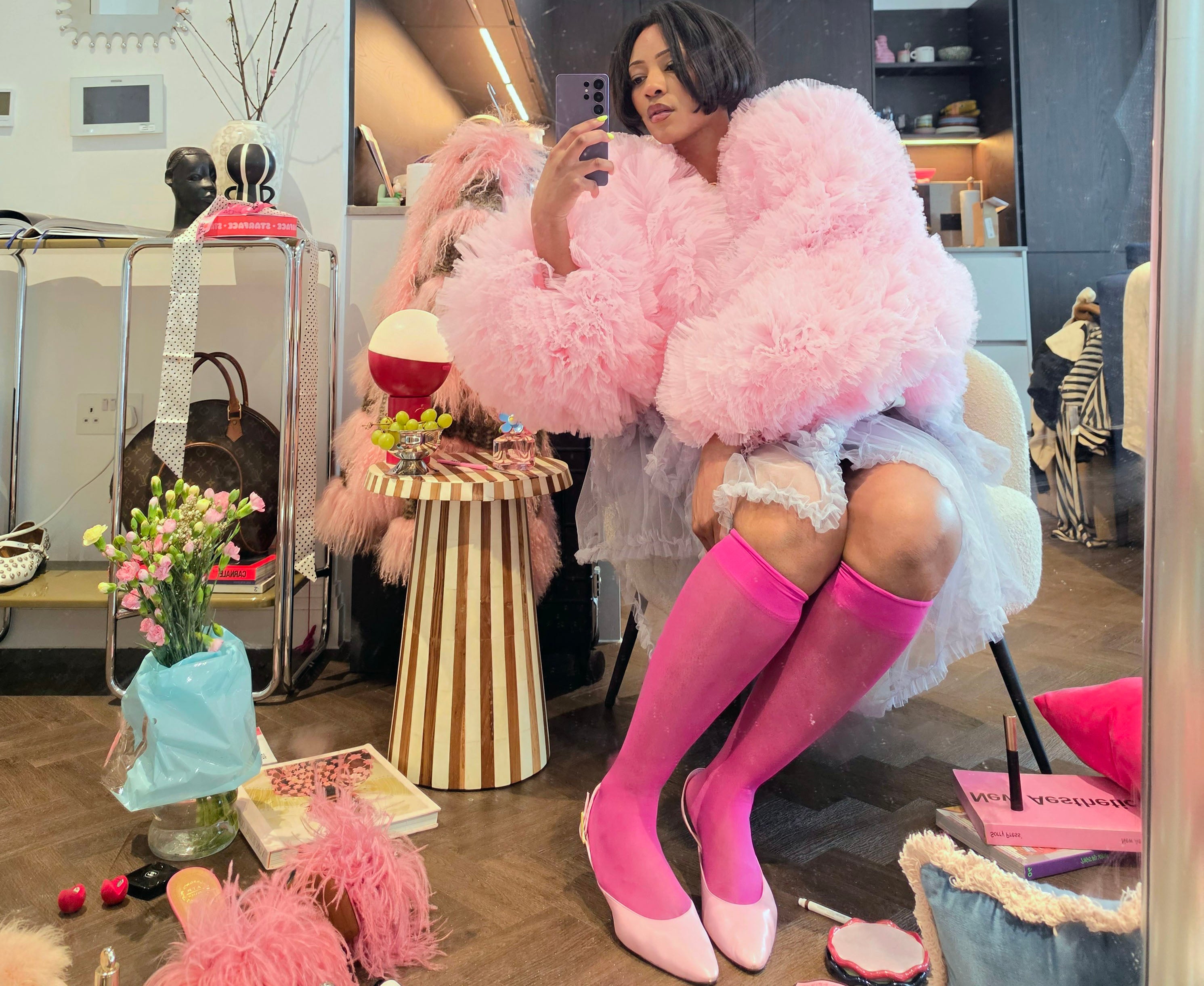
Before taking a single photo, Belinda recommends thinking about the overall mood or concept behind your content, noting it feels more elevated “when there's a slight story behind it, or some sort of theme,” she explains.
“I’ll usually think about, like, the outfit first and then what kind of setting would make sense with it – whether that’s something really colourful or something a bit more minimal so the outfit stands out. If there's no colour, then it has to have a bit of pattern or texture just to tell a little bit of a story. It’s quite instinctive, but I always try to make sure everything kind of works together.”
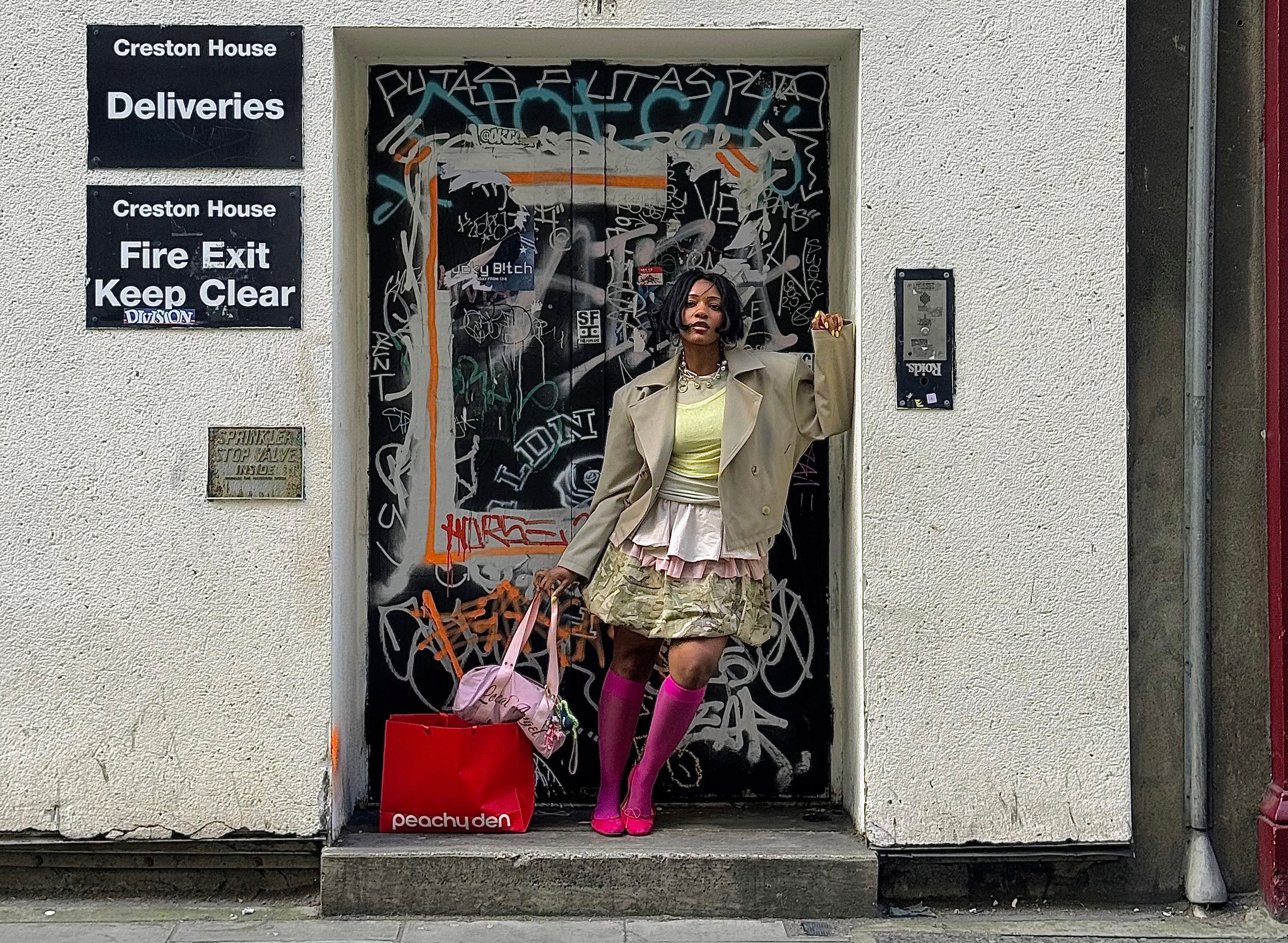
Alongside composition, one of the most overlooked aspects of fashion photography is the background. According to Belinda, choosing the right setting can instantly elevate an image. “Make sure to shoot in good lighting, and try to pick backdrops that sort of match your outfit. Be intentional about your surroundings.”
Clean, complementary locations can reduce the need for editing later, while also helping outfits stand out more clearly. The setting should enhance – not distract from – the look.
Use colour, prints and texture to make outfits stand out on camera
Belinda’s signature style is built on bold combinations and she believes these elements translate especially well on camera.
“You can never go wrong with a polka dot or a stripe – any sort of bold, massive print,” she says. “And anything poofy like tulle gives your outfit a really nice shape.”
Texture plays a key role in making images feel more dynamic and tangible – particularly when captured on high-resolution sensors with AI detail enhancement, which help bring out fine details like stitching, layering and fabric movement.
Use different shot types (full body, close-ups and detail shots)
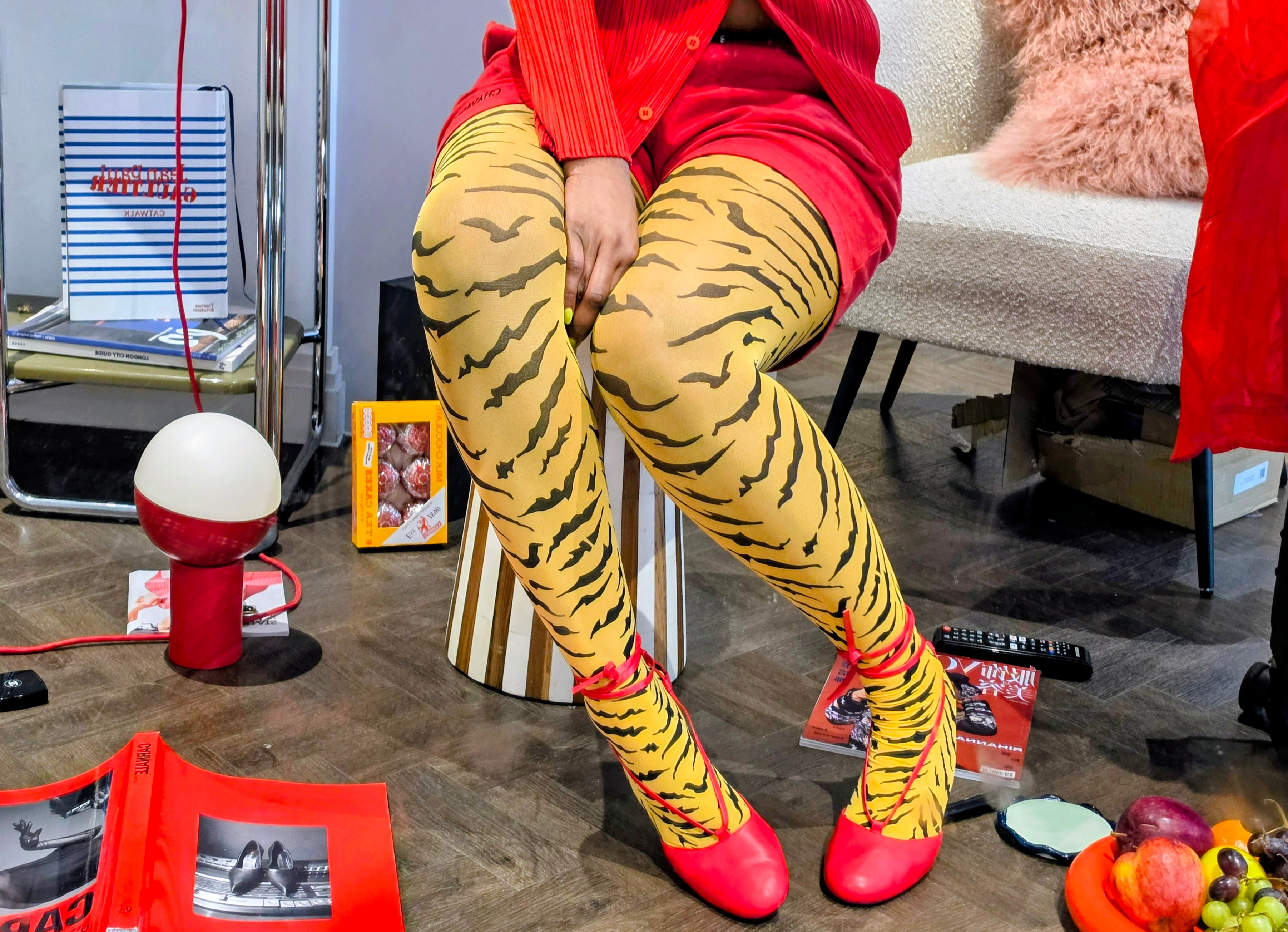
Variety is essential when it comes to keeping your content visually engaging. Belinda regularly alternates between full-body shots, close-ups and detail images. “Sometimes it depends what I want to highlight,” she explains. “The top half might be more interesting – or I’ll focus on the layers and jewellery.” Using different camera modes can also help achieve this – from Advanced Selfie for more detailed, natural-looking close-ups to Portrait Mode, which adds depth and separation for more editorial-style shots.
Belinda also considers how her images sit together as a whole. “If I have too many full body pictures on my feed, it just looks too samey. So sometimes I’ll go in and do a close-up detail shot.”
That might mean zooming in on shoes, jewellery or layered textures, or mixing in more lifestyle-led images – like accessories styled on a café table or the contents of her bag laid out as part of a wider scene. She also experiments with layering images or collage-style edits, combining close-ups with full looks to add more depth and variety to her feed.
“I wear quite a few layers and quite big accessories,” Belinda says, “so I use zoom to capture those details.” Using features like 10x optical-quality zoom on the Galaxy S26 Ultra allows smaller elements to stand out without losing clarity, even at a distance.
Use lighting to instantly improve phone photos
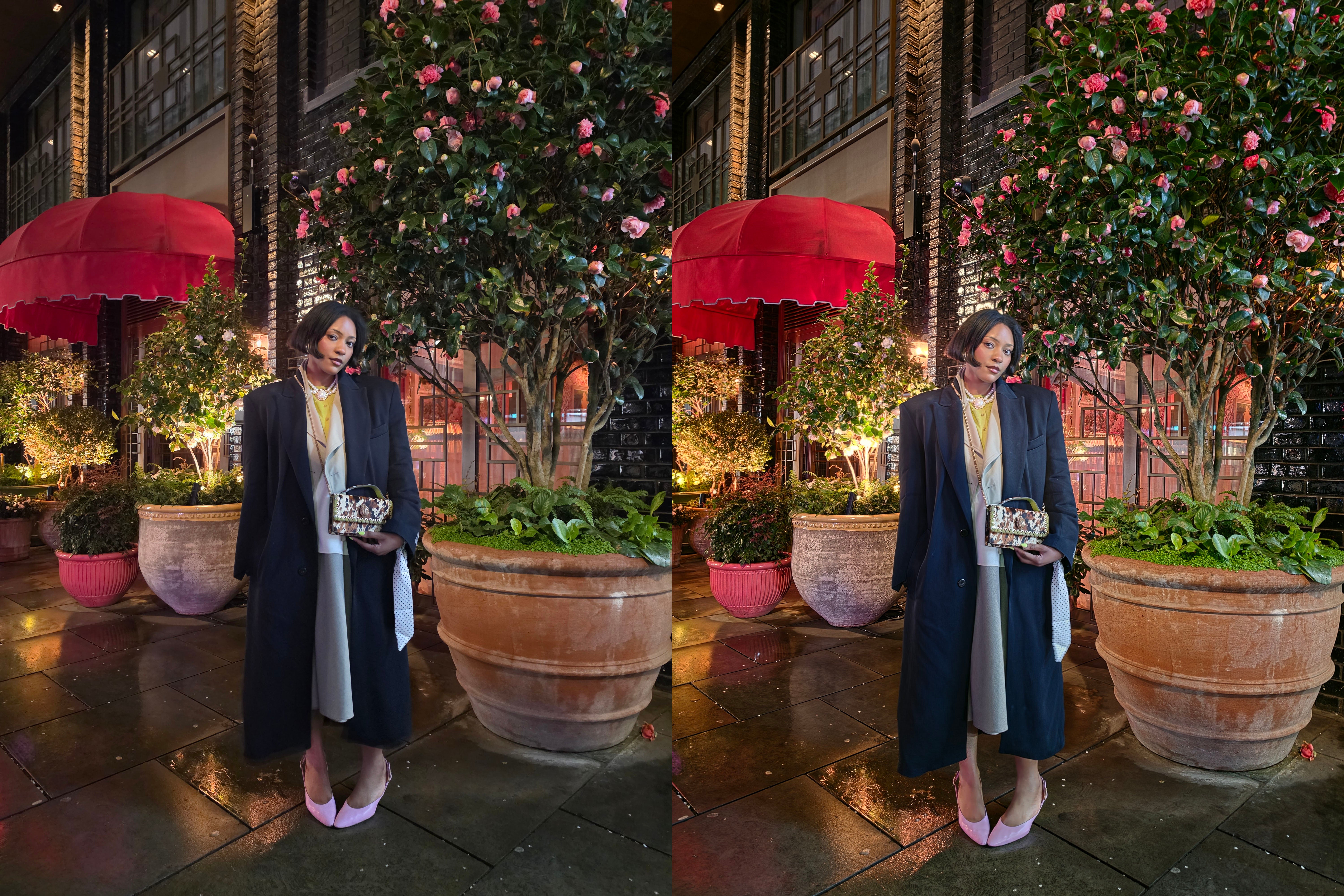
If there’s one non-negotiable, it’s lighting. Natural light remains the easiest way to improve your content instantly. “Good lighting is key,” Belinda stresses, “the best thing that you can do is have good lighting.”
Shooting near windows or outdoors helps colours appear more accurate and textures more defined – something that’s further enhanced by high-resolution cameras like the Galaxy S26 Ultra’s 200MP main sensor, powered by AI processing to keep images sharp and true to life.
And when natural light isn’t available, features like Nightography Mode and Nightography Video* use advanced processing and wider apertures to keep images bright, clear and detailed in low light, making it easier to shoot after dark without relying on flash.


Improve composition and posing for more professional-looking photos
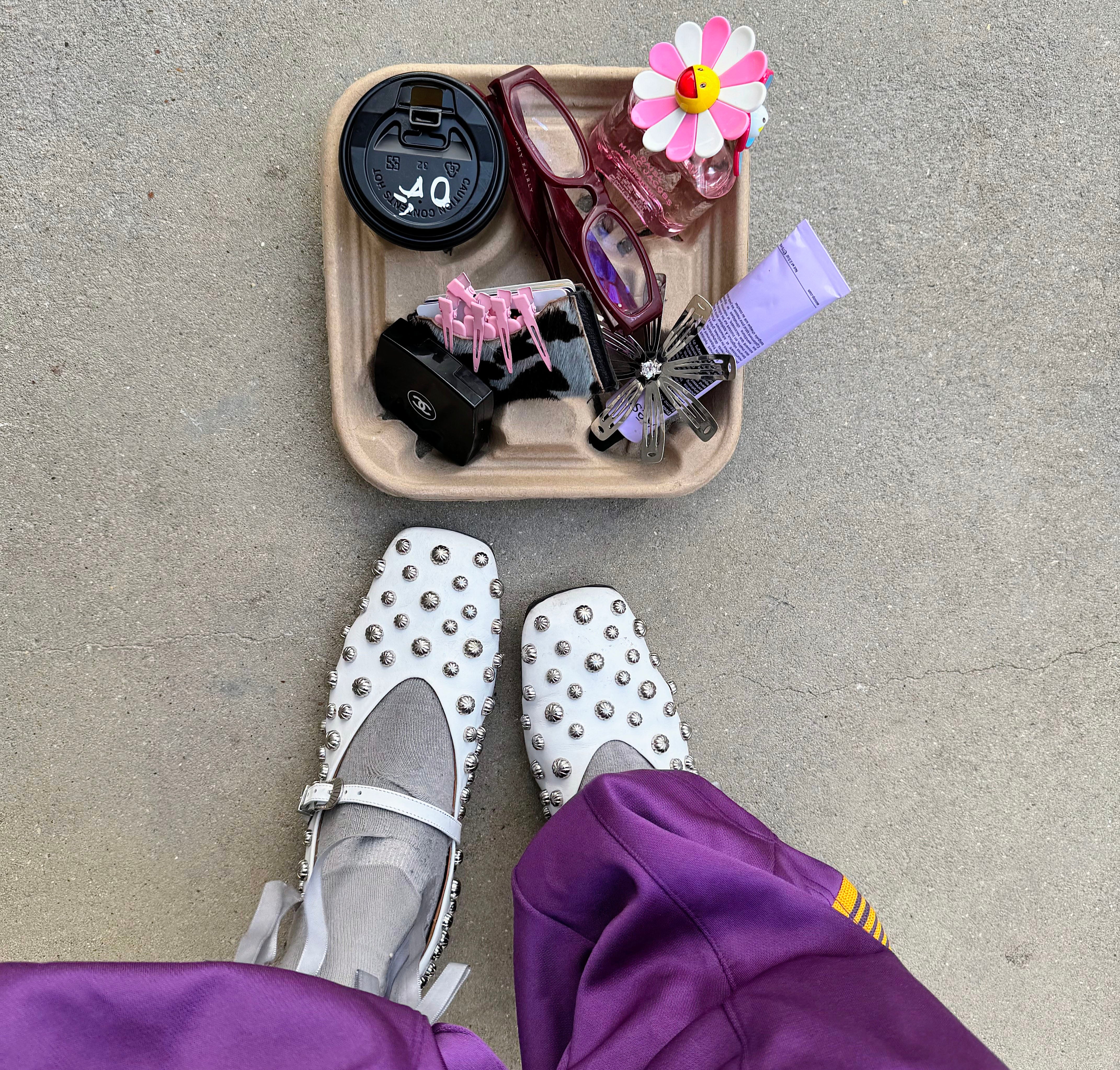
There’s something different about content creators’ feeds versus regular social media users. That difference, according to Belinda, “is storytelling. It could be the pose or creating an interesting composition around me.”
She often experiments with placement to create a more editorial image, sometimes incorporating props or arranging items within the frame to build a more layered, styled picture.
She also experiments with angles and perspective to create something that feels more editorial – from top-down flat lays of full outfits and accessories, to layered scenes where items are arranged around her to build a more styled composition.
Playing with posing and movement can also help elevate images, whether that’s adopting more exaggerated, expressive poses, shooting from slightly lower or higher angles, or turning mid-shot to create a sense of motion and energy.
Small adjustments can make a shot feel more high-end.
How to shoot better fashion videos on your phone
While still images remain important, video has become a key part of fashion content. “I think it's the different camera angles and when you're moving around it needs to be really polished and not feel too shaky,” Ingrid says.
Features like Super Steady Video with Horizontal Lock**, powered by real-time gyro and accelerometer data, help keep footage level and smooth – even when shooting handheld. For creators shooting across locations, the flexibility this offers is key. “If I can carry less, then that makes life a lot easier for me,” Belinda says. “It’s nice to have a device that's ready to go so I don't have to go home and get my tripod – it's just ready.”
How to edit fashion photos without overdoing it
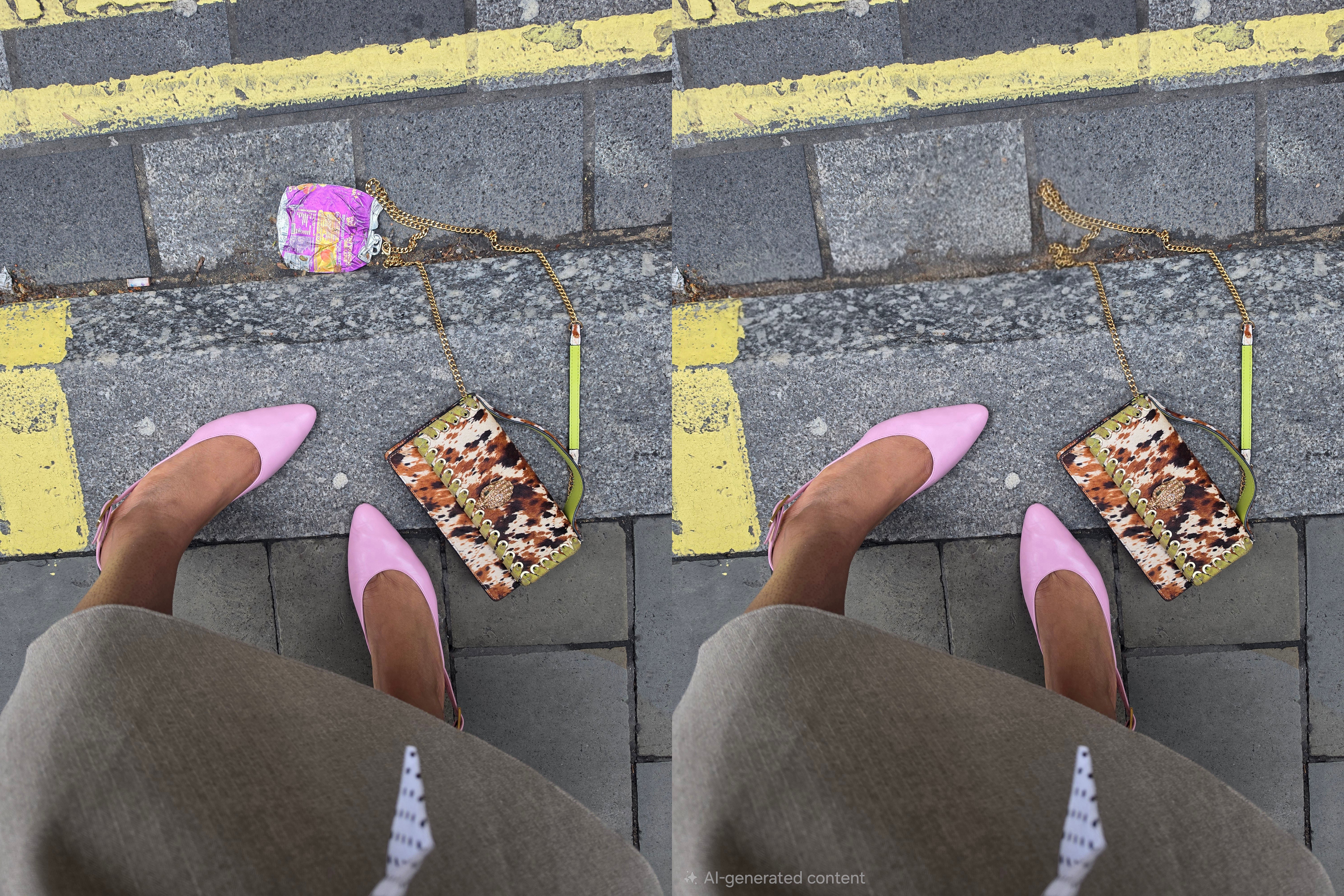
When it comes to editing, Belinda keeps things relatively minimal, focusing on enhancing rather than transforming. “I always try to add a bit more saturation, just to brighten up the colours,” she says.
She also removes distractions where needed. “Most of the time I like to move people out of my background – it's just a bit of clutter,” she laughs. “They also may not want to be in my picture.” Tools like Photo Assist† use AI to quickly remove, reposition or refine elements within an image, making it easier to clean up shots without over-editing.
“It’s actually way easier – I was easily able to just click in and have it erase it for me.” For creators shooting in public spaces, this can make the images feel cleaner and more professional, closer to a photoshoot, but with the authenticity of the street location and feel.
Find inspiration and develop your own fashion photography style
Finally, Belinda emphasises the importance of looking outward for inspiration, while still developing your own creative voice. “Get as much inspo as you can online,” she says. “Then take it away and take your own photos.”
Building a mental or digital moodboard of poses, outfits and locations can help guide your shoots, while still leaving room for spontaneity. Because ultimately, it’s not just about the tools you use, but how you use them to tell your own story.
FAQ: How to capture better fashion content on your phone
Find out more about the Samsung Galaxy S26 series and Galaxy S26 Ultra camera and AI features at Samsung
*Results may vary depending on light condition, subject and/or shooting conditions.
**Super Steady results may vary depending on editing method and/or shooting conditions.
†Requires network connection and Samsung account login. A visible watermark is overlaid on the saved image to indicate it was generated by Galaxy AI. Accuracy of output not guaranteed.
Bookmark popover
Removed from bookmarks