The Independent's journalism is supported by our readers. When you purchase through links on our site, we may earn commission. Why trust us?
Best VPN for Windows PC and laptops in 2026, tried and tested by an expert
Add online privacy to your laptop and Windows PC, with these free and paid-for VPN options
A virtual private network (VPN) is your digital disguise online. By funnelling your PC’s connection through an encrypted tunnel to a remote server, the best VPNs render your online activity invisible to anyone trying to snoop. But these apps have evolved far beyond simple privacy tools.
Today, they’re essential for bypassing geo-restrictions, accessing home services like BBC iPlayer while you’re travelling abroad, and even preventing your internet provider from throttling your connection during peak gaming hours.
There’s an array of VPNs out there, all promising different levels of privacy, speed and price. I’ve been testing a bunch of them on a Windows laptop to find out which one’s the best for PC and laptop users. My top pick is NordVPN. It runs best on Windows and has multiple privacy features compared to its rivals. If you’re looking for a free VPN, then Proton VPN is my favourite – there’s no data cap and no ads. Keep scrolling for my top Windows PC and laptop VPN picks for 2026.
Read more: The best laptops in 2026, tried and tested by a tech writer
The best VPNs for Windows PC and laptops in 2026 are:
- Best overall – NordVPN: From £2.59/month, Nordvpn.com
- Best free option – Proton free VPN: Free, Protonvpn.com
- Best bundle – Malwarebytes privacy VPN: From £29.99/year, Malwarebytes.com
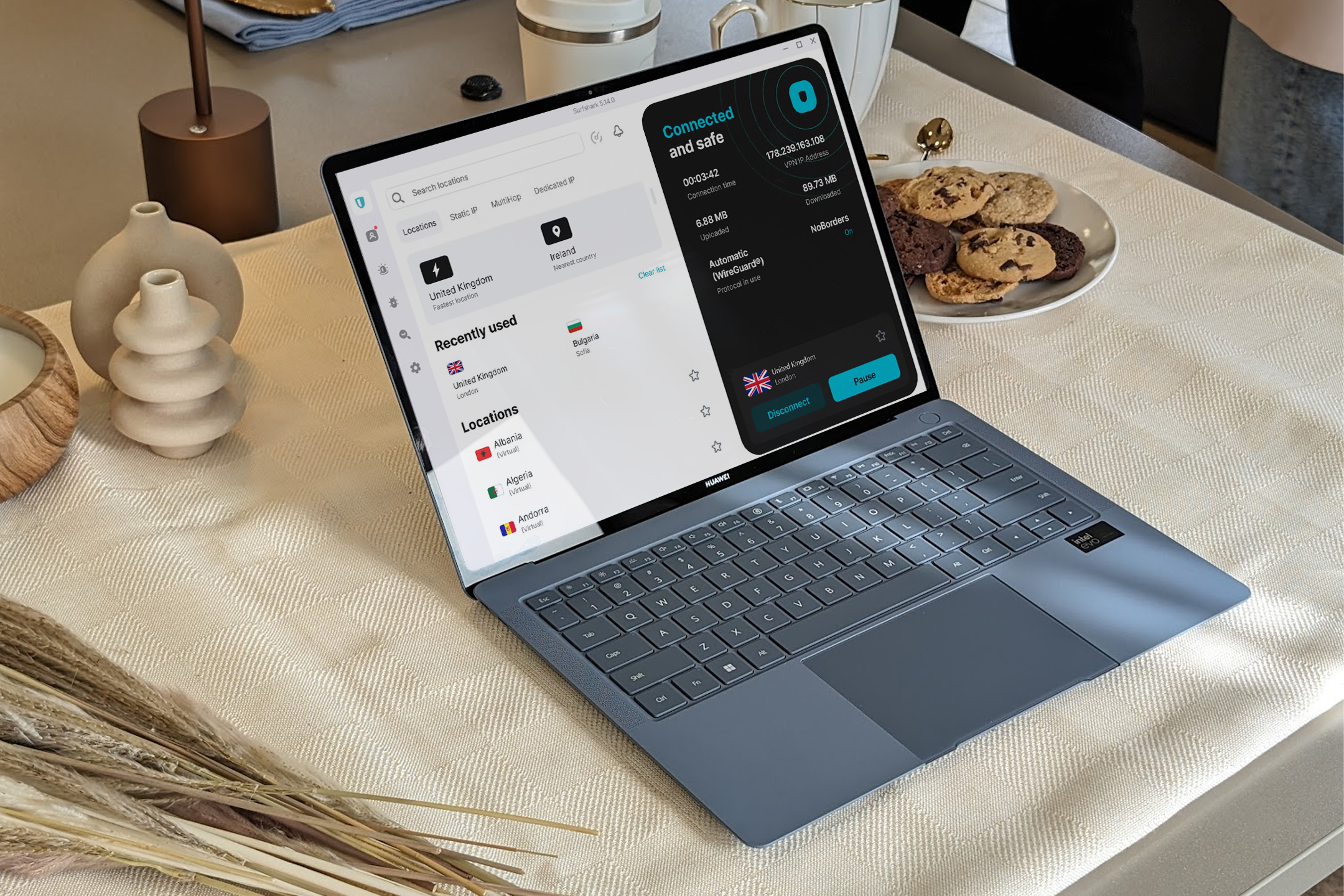
- Best for speed – Surfshark: From £2/month, Surfshark.com
- Best for an uncomplicated app – ExpressVPN: From £5.39/month, Expressvpn.com
How I tested
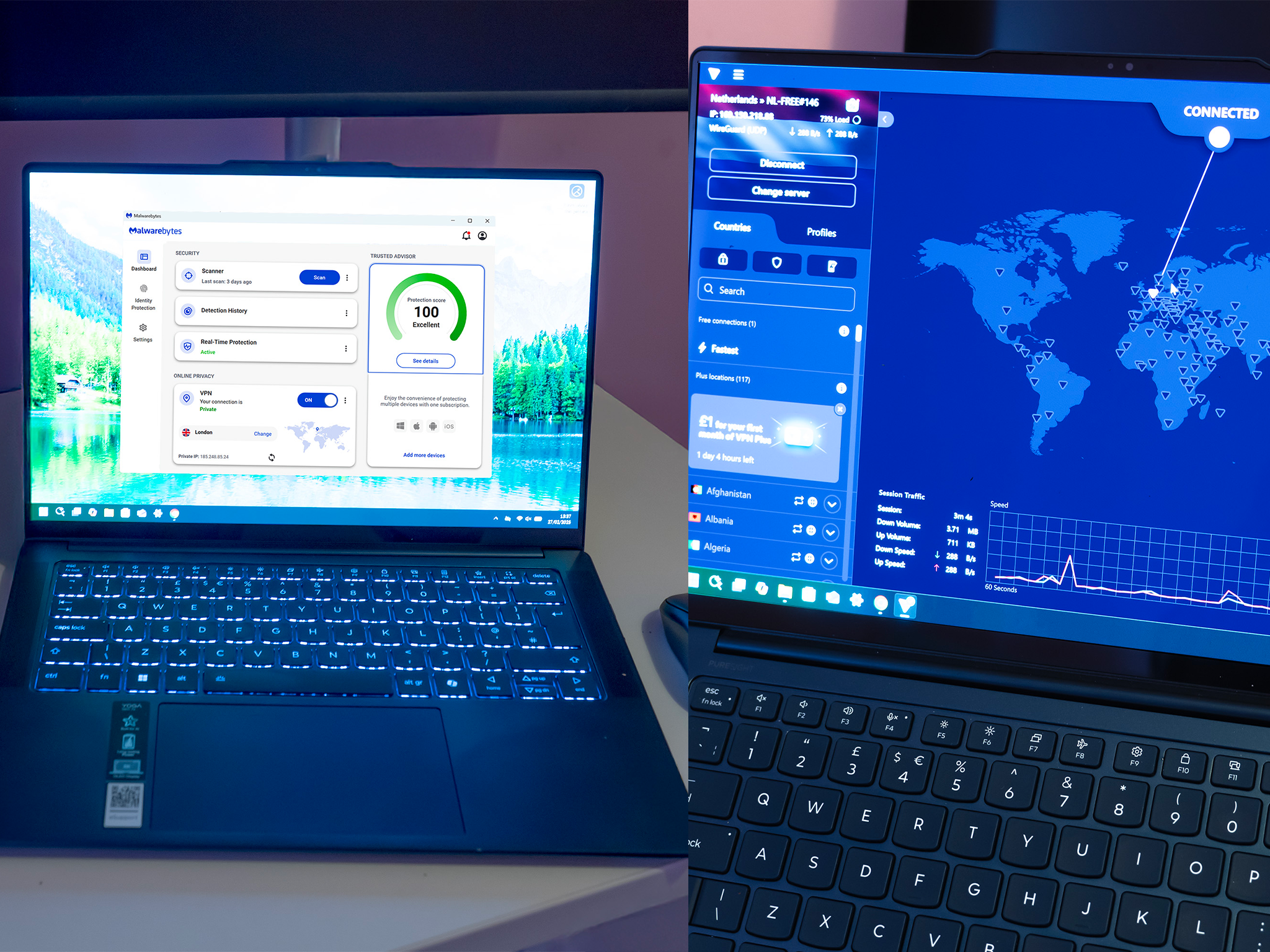
I installed each of these VPN apps on a Windows 11 laptop, updated to the latest version at the time of writing, and with all security patches installed, but no other security software active. Then, I ran internet speed tests and downloaded large files from the cloud to see how well each service performed, as well as investigating how they worked with streaming services and whether the VPN providers were keeping logs of my activity.
My colleague has also written a detailed guide on how we test VPNs at The Independent, which breaks down our methodology further.
1NordVPN

- Best Overall
- Number of servers More than 7,000
- Number of server countries 118
- Number of simultaneous devices supported Up to 10
- Devices supported Windows, macOS, Linux, iOS, Android, and more
- Why we love it
- Good performance
- Can be installed on router
- Supports lots of platforms
NordVPN is a popular choice for some very good reasons. It’s fast, hitting around 500Mbps from a UK server (about a six per cent drop from the maximum speed of the fibre connection being used to test VPNs), and it has an excellent Windows app.
Not only does the app launch quickly, but it also displays plenty of useful information. You can auto-connect to what it detects as the fastest server – for me in the UK, this was a UK server, though it offered a US server, too. This provided a download speed of about 340Mbps, slower than the UK server but definitely useful if attempting to access US services. There are plenty of other options, too. While connections via Bogatá in Colombia and Lagos in Nigeria saw the connection drop below 200Mbps, these are still excellent speeds.
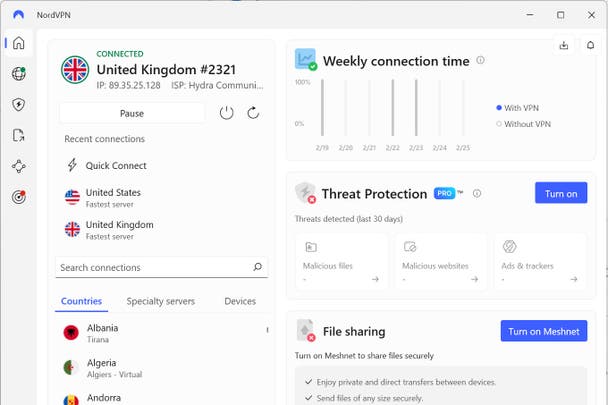
Most streaming services, when connected via the UK server, were happy to provide video, with BBC iPlayer, Netflix and Disney+ all firing up their shows with no judder or interruption. Only Amazon Prime Video threw an error – the service is sensitive to VPNs and will often refuse to play, even if the VPN server is in your home country.
Nord offers a range of extras with its VPN subscription, and provides apps for many other devices apart from Windows PCs and laptops. If you can configure your own router – meaning it’s not managed by your ISP – you might be able to set up NordVPN there, so every device that connects to it is protected. This is something of an advanced feature, and, for most users, the Windows and mobile apps will be enough, with up to 10 simultaneous devices supported.
2Proton free VPN

- Best Free option
- Number of servers More than 8,600
- Number of server countries 117
- Number of simultaneous devices supported 1
- Devices supported Windows, macOS, Linux, iOS, Android
- Why we love it
- No subscription
- Good speed and security
- Take note
- No choice of server location
- No multiple-hop connections
- Streaming a mixed bag
Ideal for anyone who only needs to use a VPN occasionally on a single device, Proton’s free VPN service lives up to its name by not charging you a subscription. There are downsides to this, however – mainly, you don’t get to choose where your VPN server is located. Instead, the app automatically picks what it considers to be the fastest one. During my tests, this jumped from the Netherlands to the USA and back again the first three times I pressed the ‘change server’ button, which has a timer that must tick down before you can change again.
As a result, streaming services can be hit or miss. BBC iPlayer wasn’t happy with an Amsterdam IP address, as you’d expect, being a platform that’s region-locked to the UK, but Netflix streamed perfectly well. Disney+ showed nothing but an error page, while Amazon Prime Video would allow browsing of its titles but displayed a message about disconnecting the VPN before it would play anything.

There's a simple Windows app to download, and, while it will attempt to install additional services, such as anti-malware, you can untick the boxes if you don’t want them. Many of the features in the app are, likewise, gated behind a subscription and marked with a little icon that tells you they’re paid-for options. Despite this, I saw speeds of 400Mbps on my 600Mbps fibre connection during testing, and the free VPN uses the same secure Wireguard protocol and strong encryption as the paid-for version. The only major security feature that’s missing is the ability to route traffic through multiple servers.
3Malwarebytes privacy VPN

- Best For bundles
- Number of servers More than 500
- Number of server countries 40
- Number of simultaneous devices supported Up to 20
- Devices supported Windows, Mac OS, iOS, Android
- Why we love it
- Useful software bundle
- Strong security credentials
- Most streaming services work
- Take note
- Most servers in US and Europe
- Netflix not happy
This offering from the anti-malware company costs £29.99 a year, or can be bundled with Malwarebytes’ broader security software for £49.99/year. It uses 256-bit AES encryption and the Wireguard protocol to protect your privacy on PC and laptop, and the firm says it will never track, store or share your network data (though there is a statistics collection option in the settings, which can be turned off). The Windows app has a kill switch feature that will block all internet traffic if the VPN is disconnected, and you can configure it to block specific applications from accessing the net unless the VPN is switched on.
While Malwarebytes has servers all over the world, they’re concentrated in certain areas: 19 in the USA, for example, against just two for the whole of Africa, one of which, Lagos, Nigeria, was extremely slow during my tests, starting out with a transfer rate of less than a megabit but rising to 30Mbps with sustained use. There are three UK servers, and the rest of Europe is well provisioned, too. I logged 200Mbps speeds when connected via Zagreb, Croatia. BBC iPlayer seemed happy to play while connected to the London server, but Netflix only got as far as starting a show before grinding to a halt with a spinning icon. Amazon Prime Video would play, as would Disney+.
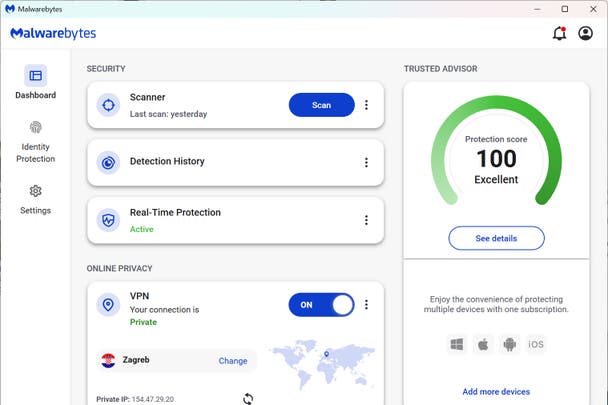
Malwarebytes privacy has options for starting up at the same time as Windows and connecting automatically, which can be useful if you tend to forget to turn it on. While the single-server VPN is recommended, it does have a switch for enabling multi-hop connections, which will decrease the likelihood of your traffic being intercepted, at the cost of slowing down your data.
4Surfshark VPN

- Best For speed
- Number of servers More than 3,200
- Number of server countries More than 100
- Number of simultaneous devices supported Unlimited
- Devices supported Windows, macOS, Linux, iOS, Android, and more
- Why we love it
- Unlimited devices
- Easy setup
- Keenly priced
- Take note
- Separate antivirus required
If it’s only a VPN you’re after, without any bundled antivirus, Surfshark is well worth a look. Its starter package is its cheapest, and offers a secure VPN with multi-hop routing on unlimited devices (itself a standout feature, if you’ve got a lot of PCs and laptops), plus ad and pop-up blocking and a masked email generator for anonymous sign-ups. Packages further up its tiers add more options, but if it’s a pure VPN you’re after, the starter package has you covered.
Surfshark uses the same Wireguard protocol as many other VPNs to protect your internet traffic from prying eyes, and it remains fast and reliable. Encryption is to the AES-256 standard, which is the same standard used by banks and online stores to protect credit card numbers. You get the ability to choose which apps are covered by the VPN and which can bypass it, a feature known as split-tunnelling, and there's an internet kill switch, which cuts your connection off when the VPN isn’t running, so no data can be transferred without being encrypted.
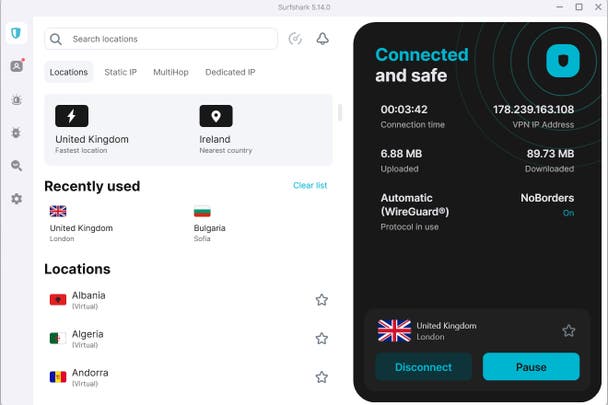
The Windows app itself is easy to use, taking you through a few questions to begin with, to ascertain your level of familiarity with VPNs, then providing you with a quick connect button that, for me, connected immediately to a UK server. This provided the fastest download speed of all the VPNs I tested, hitting more than 500Mbps on a 600Mbps line. Switching to Bulgaria yielded a slower, but still nippy, download speed of a little more than 400Mbps. While connected to the UK server, the iPlayer, Netflix and Disney+ streaming pages were happy to provide video, but Amazon Prime Video returned an error.
5ExpressVPN

- Best For an uncomplicated app
- Number of servers More than 3,000
- Number of server countries 105
- Number of simultaneous devices supported Up to 8
- Devices supported Windows, macOS, Linux, iOS, Android, and more
- Why we love it
- Lots of options as standard
- Good speeds
- Easy to manage subscription
- Take note
- Not all streaming services work
- Cheaper options available
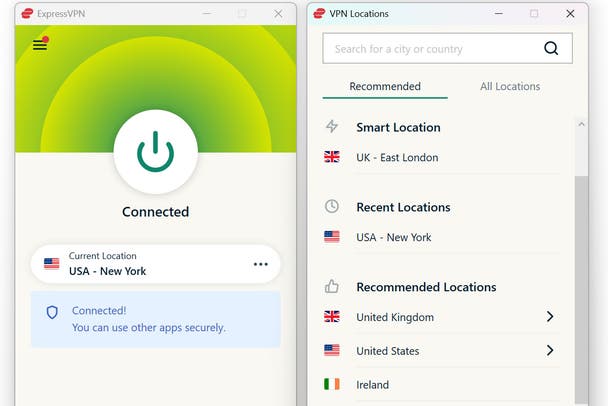
ExpressVPN is notable for the unfussy design of its Windows app. There's very little to it, apart from a big ‘connect’ button and a choice of server locations in a separate window. In the ‘options’ screen, accessed from a three-line menu button at the top left, you’ll find common choices such as a kill switch, the ability to have it launch when you start your PC or laptop, manage connections on a per-app basis, and toggle on useful internet ad and tracker blocking under the ‘advanced protection’ tab.
Using the proprietary Lightway protocol – you can change this to OpenVPN, if you want to – and AES-256 encryption, ExpressVPN offers fairly good speeds and has a no-logging policy, so there's no record made of your internet use. I saw transfers of 160Mbps when connected via New York, which rose to 230Mbps using a London-based server that was closer to my physical location, which is a bit less than half the theoretical maximum available to me. With the latter server selected, I was able to stream video from BBC iPlayer, Disney+ and Netflix, while Amazon Prime Video stopped on an error page.
ExpressVPN has recently overhauled its pricing tiers. There are now three tiers to choose from – basic, advanced and pro. Each is available on one-month, one-year or two-year plans. The basic plan includes the VPN itself, lite protection (which blocks ads and malicious sites) and support for up to 10 devices. The advanced tier adds a password manager, stronger ad- and tracker-blocking, identity monitoring (in the US) and three days of unlimited eSIM data. The top pro plan has a built-in dedicated IP, credit and ID monitoring, monthly credit reports and five days of eSIM data.
Your questions on VPNs for Windows PCs and laptops answered
What’s the best VPN for Windows PCs and laptops?
NordVPN is an excellent choice, as it performs well in just about every category and is easy to set up on your Windows PC. It provides apps for lots of other platforms, too, and, if you don’t mind a bit of fiddling about, it can be made to work with your wifi router, so every device that connects benefits from its protection.
It’s not the only game in town, however, and if you only need a VPN very occasionally, Proton’s free VPN may be enough. Alternatively, Malwarebytes bundles its privacy VPN with its highly regarded anti-malware package, which will block your browser from accessing sites that may be compromised or just insecure.
Do Windows PCs and laptops have a built-in VPN?
Not really. Windows comes with a built-in VPN client, but it’s not a full VPN service. The client is just a setup tool that lets you connect to a VPN if you already have login details from your company or provider. You could technically plug something like NordVPN into it, but you’d have to enter everything manually, and you’d miss out on most features. It’s much easier to download the actual VPN app, which handles the setup, encryption and server switching automatically.
Is there a free VPN for Windows 11?
Several VPNs offer free versions of their apps that work on Windows 11. My top pick is Proton VPN, since it’s one of the few that doesn’t cap your data or bombard you with ads. You can use it for as long as you like, though you’re limited to a few servers and one device at a time on the free plan.
How do VPNs work on PCs and laptops?
When you turn on a VPN, it creates an encrypted tunnel between your computer and a remote server run by the VPN provider. Everything you do online is sent through that tunnel first, which hides your real IP address and replaces it with one from the server’s location. So instead of connecting directly to a website, your PC connects to the VPN server, and the VPN server connects to the website on your behalf. That’s why it looks like you’re browsing from another country, and why your internet provider or advertisers can’t see what you’re doing beyond the fact that you’re using a VPN.
Which free VPN is best for PCs and laptops?
Proton VPN is the best free VPN for Windows right now. It’s safe, easy to use and doesn’t limit your data. It’s a nice way to get started if you just want basic privacy protection without paying for a plan.
How to install and set up a free VPN
To install and set up a free VPN on Windows (I recommend Proton VPN), go to the provider’s official website and download the Windows app. Once it’s installed, open the app and create a free account if needed. Sign in, then choose a server location from the list and click “connect.” After a few seconds, your connection will be encrypted and your IP address hidden — you’ll now be safely browsing with your free VPN.
Why you can trust IndyBest reviews
Ian Evenden is a writer and editor specialising in gaming, computing, science and technology publications. Ian has been contributing to IndyBest since 2021, applying his keen eye for detail and high standards to tech reviews such as the best Chromebooks, keyboards and anti-virus security equipment.
Want more recommendations? Check out our guide to the best laptops
Bookmark popover
Removed from bookmarks