The Independent's journalism is supported by our readers. When you purchase through links on our site, we may earn commission. Why trust us?
ReMarkable 2 vs Kindle scribe: Our tech expert compares the digital notepads
Want to up your note-taking game? Here’s what our tech expert found when testing the two devices
- 1
 2
2
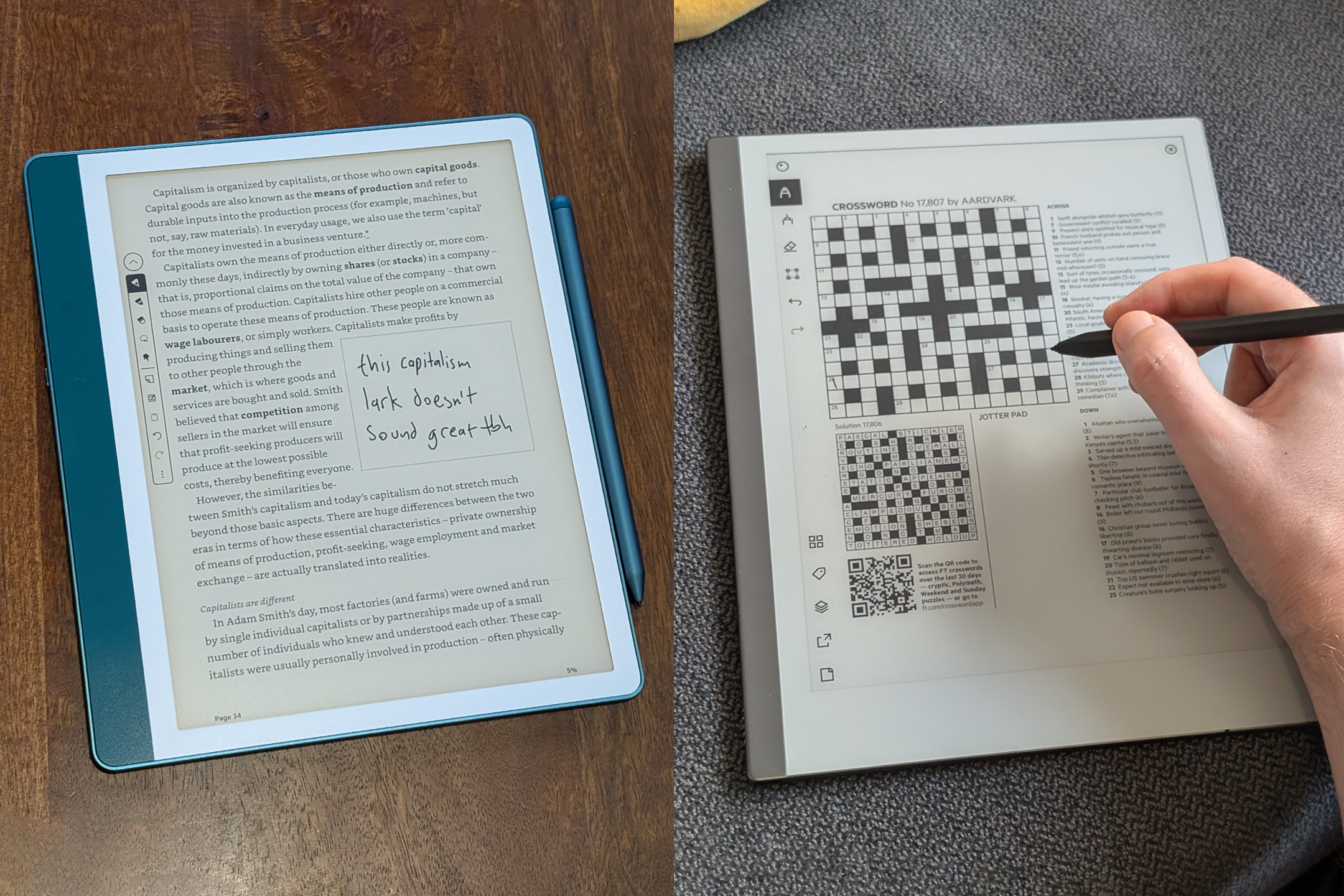
Digital notepads such as the reMarkable 2 and the Amazon Kindle Scribe differ from typical tablets in that they use matte, textured e-ink displays rather than backlit LCDs screens. That means they offer a glare-free writing experience on a rougher surface that feels uncannily like scribbling on actual paper rather than smooth glass.
Although the remarkable 2 and the Kindle Scribe share the same screen technology, they’re made with different users in mind. While it can store books and PDFs, the reMarkable 2 focuses primarily on the note-taking experience – it’s a distraction-free tool for doodlers, designed to replace your traditional notepad. The Kindle Scribe, meanwhile, is a fully featured Amazon ereader with comprehensive note-taking features.
The reMarkable 2’s included marker stylus (opt for the marker plus for a handy “eraser”, which lets you rub the end of the stylus on the display to erase mistakes) glides across the display with just the right amount of friction, registering 4,096 levels of pressure sensitivity, for natural-looking strokes. Meanwhile, the Kindle Scribe is ideal for adding notes and annotations to books, making it an appealing piece of tech for students.
So are these gadgets any more convenient than simply writing on paper with a 99p biro? If you’re a prolific notetaker, regularly share your workings, and are particularly prone to losing your notes, the tablets come into their own. To see how the reMarkable 2 compares against the Kindle Scribe, I put both devices to the test – keep scrolling for my full review and verdict.
Read more: The best ereaders, tested by a tech critic
How I tested
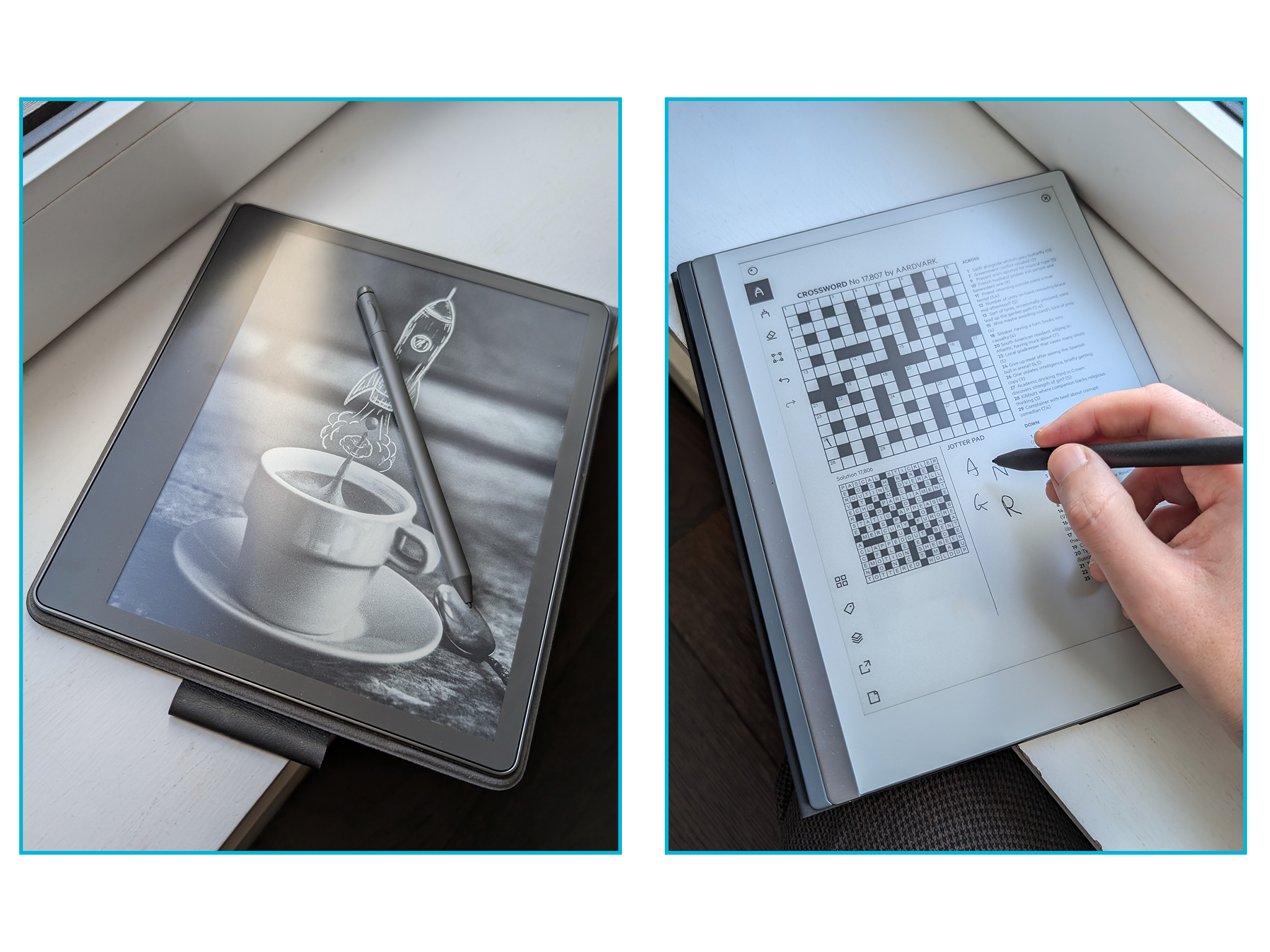
I used each tablet for copious note-taking during meetings and presentations, at the office, at home and when travelling to conferences. I sign a lot of contracts as part of my work, so the ease with which I could transfer PDFs to the notepad for signing was an important feature. I also used each device as my primary ereader, swapping out my current Kindle Paperwhite in favour of the bigger displays. You can find out more about my testing criteria at the end of this article.
Read more: The best tablets, reviewed by tech experts
1ReMarkable 2 with marker plus

- Dimensions 187mm x 246mm x 4.7mm
- Weight 403.5g
- Stylus Included
- Screen size 10.3in
- Resolution 1,872 x 1,404px
- Battery life Up to two weeks
- Backlight No
- Why we love it
- Lots of great organisational features
- Sign and annotate PDFs
- Optional keyboard folio
- Beautiful piece of technology
- Take note
- Singularly focused on being a digital notepad
- Handwriting-to-text conversion isn’t always accurate
Razor-thin and unbelievably lightweight, this device has a sleek design and joyously minimalist user interface. You can create separate notebooks, organise them into folders, and choose from templates such as ruled and graph paper, or to-do list checkboxes. You can export your doodles and notes as PDFs, or select your chicken scratches and convert them into editable text. You’ve also got effectively infinite writing space to work with – although, we doubt that spending on traditional notepads is making a serious dent in anyone’s bottom line.
Another clever use case is the ability to sign and annotate PDFs but, again, services such as Docusign and the broad acceptance of digital signatures make the feature less essential for everyday users. You can also PDF crosswords and puzzles
Read more: We review the best laptops
Is all that enough to warrant the price? Probably not, but reMarkable seems to recognise it’s got a niche, super-premium product on its hands. This is a real statement gadget – an executive toy for serious notetakers. Whip one out during a meeting and it will never fail to attract attention.
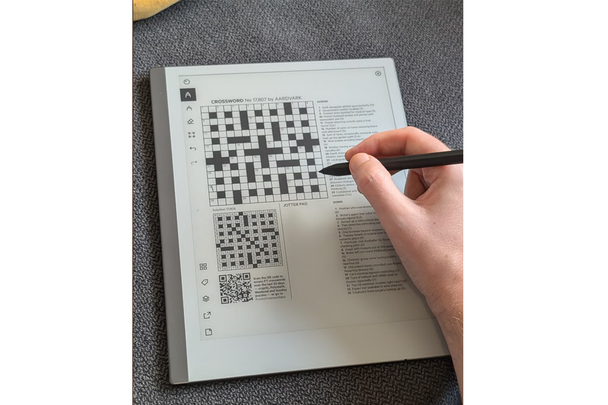
This device is singularly focused on being a digital notepad, rather than a tablet or even an ebook reader. Although you can transfer epub book files to the device and convert web pages to PDF to read later, it’s a relatively fiddly process and, in the case of web pages, it doesn’t always work well. The optional keyboard folio case lets you type notes, too, but, by that point, you might as well be using a full laptop or a regular tablet.
Meanwhile, some weird shortcomings seem easy to fix. You can’t search your handwritten notes, so, unless you’re fastidious about organising your files, your important information can get buried somewhere on page 12 of notebook five. The handwriting-to-text conversion isn’t always accurate, particularly if you’ve got terrible handwriting, and usually requires some edits to tidy up. While the marker magnetically attaches to the tablet anywhere, it can’t be secured, so, it could easily become lost in a bag.
Priced at £429 with the marker plus, the device is also available for £389 with the standard marker.
I’m a little too attached to my beaten-up, water-damaged Moleskine to make the switch to the reMarkable 2 for good but, for those seeking a distraction-free writing experience and who value the feel of pen on paper, it’s a compelling proposition as well as a beautiful piece of technology.
2Amazon Kindle scribe

- Dimensions 196mm x 229mm x 5.8mm
- Weight 433g
- Stylus Included
- Screen size 10.2in
- Resolution 300dpi
- Battery life Around four weeks
- Backlight Yes
- Why we love it
- Suited to reading on the go
- Lightweight and streamline
- Includes a high-performing stylus
- Import your own compatible documents, such as PDFs or Word files
- Excellent battery life
- Ideal for students or professionals
- Take note
- Lower resolution
- Slightly slower stylus
This is the first Kindle you can write on (well, without ruining your device). It’s a large-screen ereader that doubles as a digital notepad, enabling you to annotate ebooks and documents, make handwritten notes, and even doodle in a dedicated sketchbook, all using the included stylus.
Priced at £379.99 for the basic 16GB model, the Kindle scribe is significantly more expensive than Amazon’s other ereaders, such as the Kindle paperwhite (from £159.99, Amazon.co.uk) which has a higher-resolution screen and a smaller form factor better suited to reading on the go.
The scribe’s higher price tag is partly justified by the device’s premium design. Like the priciest Kindle oasis, the scribe features an asymmetric design, with one edge thicker than the other, which helps with grip and makes the device feel less bulky in hand, despite the larger screen size.
The main draw here, however, is the inclusion of a stylus for note-taking. It’s a similar experience to using the reMarkable 2 but with some key differences.
You can’t write directly onto ebooks from Amazon’s Kindle store. Instead, you add virtual sticky notes to individual pages. Tap on a highlighted passage of text in an ebook and you can scrawl your thoughts onto a digital notepad linked to that specific line of text.
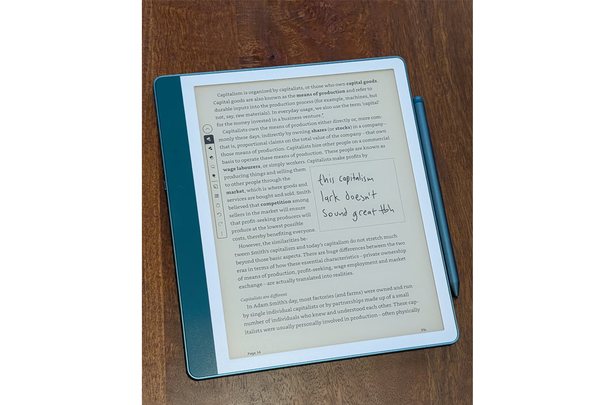
To experience the full potential of the scribe’s note-taking abilities, you can import your own compatible documents, such as PDFs or Word files, and doodle all over them. Like the reMarkable 2, that makes the Kindle scribe a great solution for signing documents in your own handwriting. Just email yourself the PDF, add your marks and email it back to yourself.
There are a few downsides to the Kindle scribe, though none of them are deal-breakers. The 10.2in screen is big and bright, but the 300PPI resolution is lower than that found on Amazon’s cheaper ereaders. That’s not a huge problem, since the lower resolution helps extend battery life (which is excellent – expect to get more than a month of use from a single charge), but text can look a little less crisp on the scribe, especially if you’re used to the pin-sharp text of the Kindle paperwhite or oasis.
The stylus is fractions of a second slower to respond than the reMarkable 2, meaning the illusion of writing on paper is slightly less convincing. Then again, this is partly because the Kindle scribe has an additional layer under the display, with front lighting for reading and writing in the dark, something the reMarkable 2 doesn’t have.
So, who is the Kindle scribe for? It’s not cheap, so casual readers are likely better served by one of Amazon’s cheaper ereaders but, if you’re a student or professional who reads and annotates a lot of documents, or if you’re simply looking for a more versatile ereader that doubles as a digital notepad, the Kindle scribe is a great option.
ReMarkable 2 vs Kindle scribe: Which is best?
If you want an ebook reader first and a sketchbook second, Amazon’s scribe is the more sensible option of the two devices. The walled-garden of the Kindle store has its own drawbacks, but remains the easiest and most seamless way to read ebooks.
For truly distraction-free notetaking, the reMarkable 2 is the more dedicated and accomplished digital notebook. It’s slimmer and lighter, the writing experience is better, it looks smarter and it trims away many of the usual tablet features – such as a web browser or a bookstore heaving with the latest novels – that might tempt you away from your writing. It’s expensive, particularly once you add a folio and the premium marker stylus, but it’s undoubtedly a digital notepad for penning purists.
How I tested the reMarkable 2 and Kindle scribe
While testing the two devices, I considered the following criteria.
- Writing experience: I paid particular attention to how the stylus felt against the display, and how well the tablet emulated the sensation of writing on paper. Latency (the fraction-of-a-second delay between the pen moving and ink appearing) plays a big role here, as well as the tactile resistance of the stylus tips and display surface.
- File management: I moved documents back and forth from my laptop to each device, assessing how easy it was to import PDF contracts, sign them and email them back.
- Reading: I considered how both devices fare as large ereaders, assessing screen clarity, backlight uniformity and how heavy they felt during long reading sessions.
- Battery and portability: I took both tablets on two trips abroad, paying attention to how well they survived in my luggage and monitoring battery drain.
For more hi-tech bookworm must-haves, check out our roundup of the best ereaders
Bookmark popover
Removed from bookmarks