The Independent's journalism is supported by our readers. When you purchase through links on our site, we may earn commission. Why trust us?
Best VPN for Fire Stick and Fire TV in 2026, tested by experts
I tested a bunch of VPNs using my Amazon Fire TV Stick 4K Max – only a few made the cut
- 1
 2
2
- 4

- 5


I absolutely love my Amazon Fire TV Stick. It’s far cheaper than buying a new telly, especially if you’ve already got a perfectly serviceable flat-screen at home that you just want to make smart. One of its most underrated features is how portable it is. You can chuck it in your luggage, plug it into a hotel or Airbnb TV, and instantly have your setup exactly how you like it. And if you choose to pair it with one of the best VPNs, it instantly gets better.
A VPN does two crucial things on a Fire TV Stick. First, it encrypts your internet connection and hides your IP address, which is especially useful when you’re relying on hotel wifi that isn’t yours. Second, it lets you connect as if you were back home, so you can keep using the same UK streaming services you normally watch when you’re abroad, rather than being met with an error page or the completely wrong library.
But not every VPN works well on an Amazon streaming stick. Some VPNs don’t have a dedicated Fire TV Stick app, others are slow, poorly designed or are awkward to navigate with a remote. I’ve tested dozens of services on a fast UK fibre connection and narrowed it down to five that I can actually trust to work. My top pick is Surfshark for its sheer affordability (it’s also the best cheap VPN) and has an easy-to-use interface, but Proton VPN’s speeds are also incredibly fast if you don’t want to face endless buffering. These are the best VPNs for Fire TV Sticks in 2026.
Read more: These are the best VPNs overall, tested by a tech expert
The best VPNs for Amazon Fire TV stick in 2026 are:
- Best overall – Surfshark: From £1.69 per month, Surfshark.com
- Best budget buy – Proton VPN: From £3.59 per month, Protonvpn.com
- Best for streaming performance – NordVPN: £2.59 per month, Nordvpn.com
- Best for user experience – ExpressVPN: From £4.04 per month, Expressvpn.com
- Best beginner-friendly VPN – CyberGhost: From £1.92 per month, Cyberghostvpn.com
How I tested
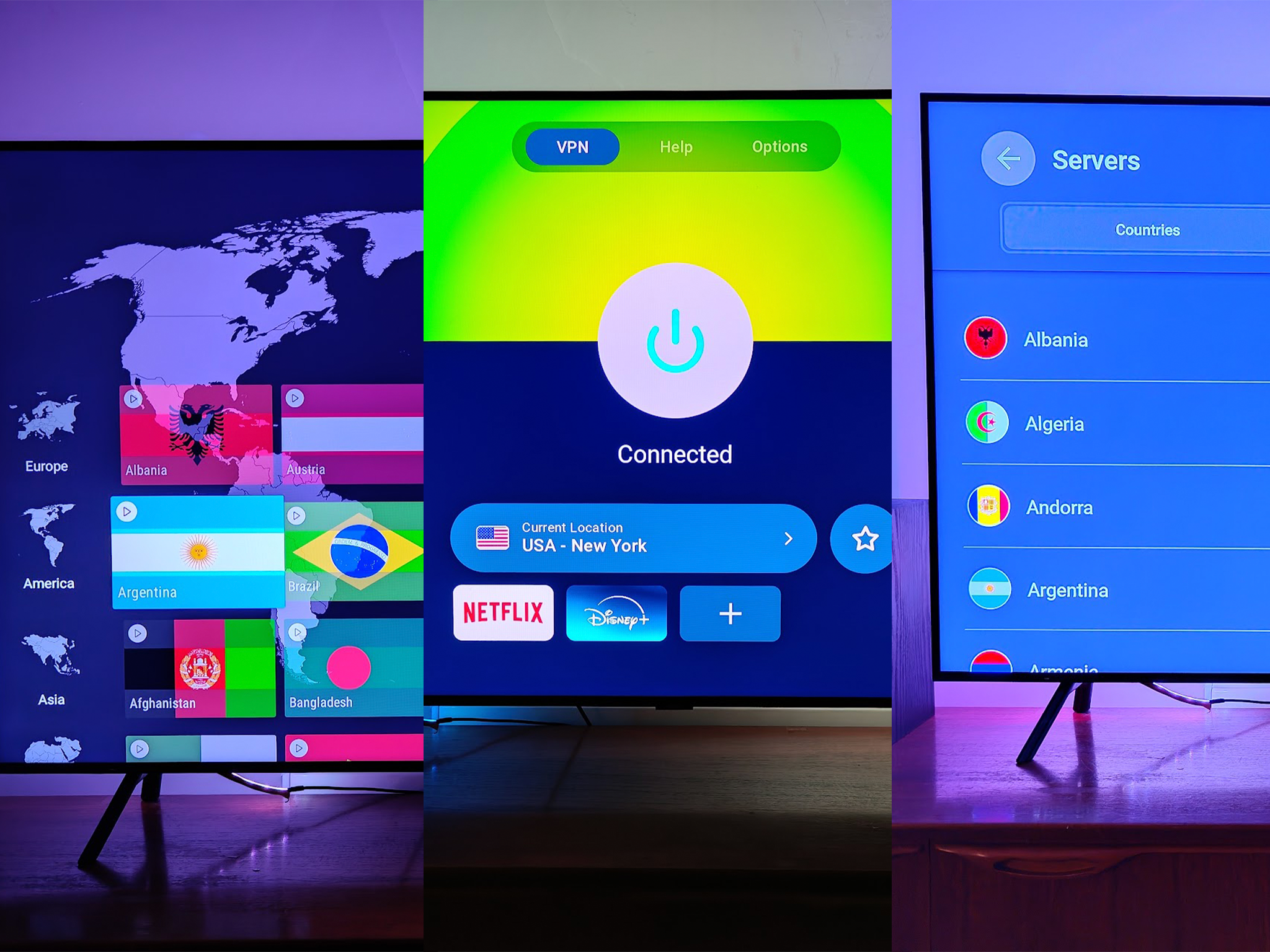
I put all of the VPNs through their paces on a Fire TV Stick 4K Max, streaming everything from Premier League action to content on streaming services and YouTube. All tests were conducted using each app's default settings, as most users want a simple interface. For some extra context, Netflix recommends a minimum of 15 Mbps for 4K content, and 5 Mbps for HD content – a useful benchmark for assessing whether a VPN’s impact on speeds will affect video streaming. You can read how The Independent tests VPNs, and my full testing methodology can be viewed at the bottom of this article.
Read more: These are the best cheap VPNs to buy if you’re on a budget
1Surfshark VPN

- Best Overall VPN for Fire TV Stick
- Number of servers 3,200+
- Number of server countries 100
- Number of simultaneous devices supported Unlimited
- Devices supported Windows, macOS, Linux, iOS, Android, Fire TV
- Why we love it
- Kill switch for connection protection
- CleanWeb ad and tracker blocking
- Unlimited simultaneous connections
- Take note
- No split tunnelling on Fire TV stick app
- Base monthly price more expensive than some rivals
Features
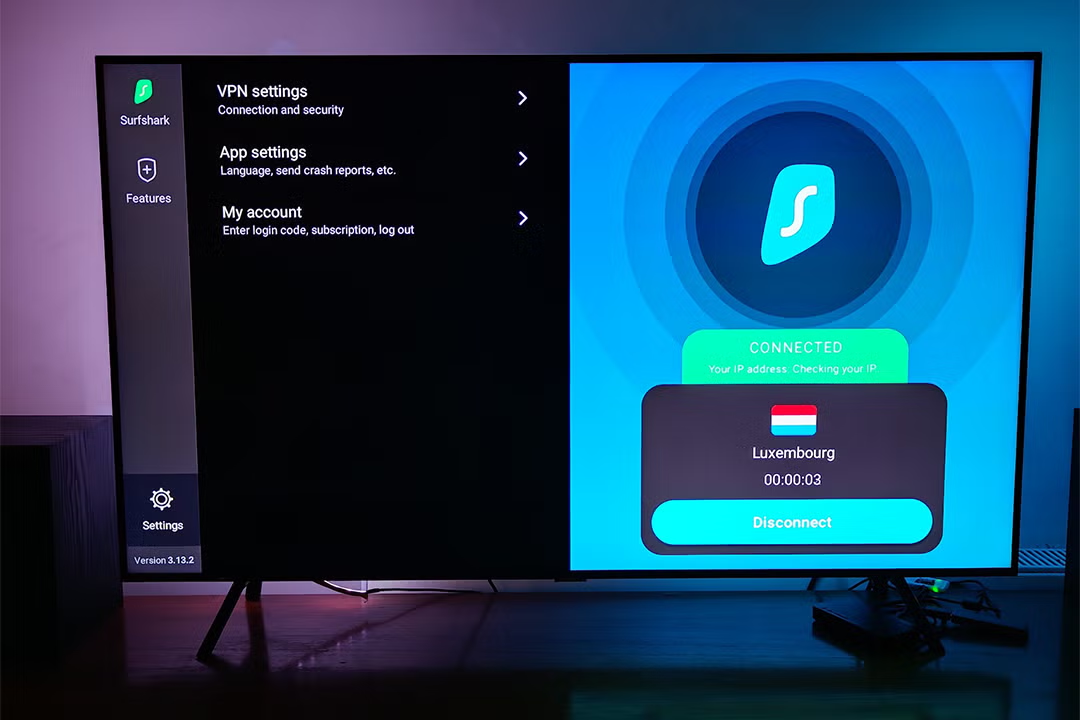
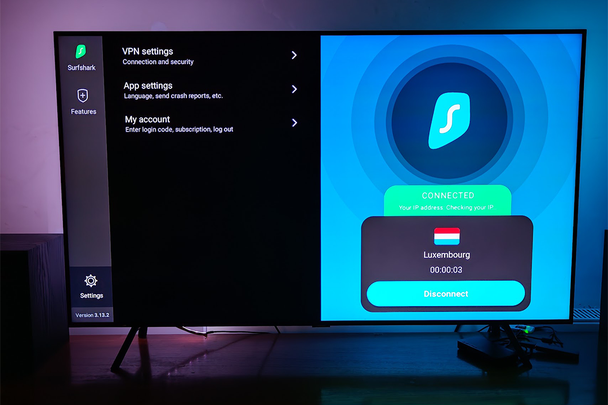
Surfshark's app has several important features for streaming security and privacy. Its kill switch is particularly valuable, as it automatically cuts your internet connection if the VPN drops, preventing any accidental exposure of your real location or browsing activity. This is a critical security feature for the Fire TV stick and one that isn’t offered by competing VPN apps.
The CleanWeb feature handily and effectively blocks ads, trackers, and malicious sites, creating a cleaner streaming experience. It’s also potentially faster, eliminating bandwidth-consuming ads and trackers.
It's also worth noting that while Surfshark offers GPS spoofing and Alternative ID features on other platforms, these aren't available on the Fire TV stick version. Having said that, these features are likely to be far less in demand on a device that has a primary focus on content consumption, so this shouldn't be an issue for most users.
Performance
Surfshark delivered impressive performance when I tested it on the Fire TV stick. For my wifi speed tests with a higher baseline of 208Mbps, UK server connections achieved 39Mbps (an 81 per cent decrease), while US server connections delivered 33Mbps (an 84 per cent decrease). Upload speeds showed similar patterns, with UK server connections reaching 33Mbps from a 104Mbps baseline (68 per cent decrease) and US server connections at 37Mbps (64 per cent decrease).
Ping measurements remained stable at 15ms for UK servers (compared to 14ms baseline), though US servers showed a higher latency at 278ms. Despite these percentage decreases, the actual speeds still comfortably exceed the requirements for 4K streaming (15-25 Mbps), ensuring buffer-free viewing experiences.
UI and ease of use
While Surfshark's app isn't as intuitive as some rivals’, it didn’t take me long to get to grips with the layout. The darker interface looks smart on the Fire TV, but the layout is a little illogical.
2ProtonVPN

- Best Budget Fire TV VPN
- Number of servers 10,000+
- Number of server countries 110+
- Number of simultaneous devices supported 10
- Devices supported Windows, macOS, Linux, iOS, Android, Android TV, Fire TV
- Why we love it
- Split tunnelling capability
- Strong privacy reputation
- Open-source apps with security audits
- Take note
- Limited Fire TV-specific features
- Some streaming inconsistencies
- Some premium features require higher-tier plans
Features
This Fire TV stick app is notably limited compared to its mobile and desktop counterparts. One of the main features of the Fire TV version is split tunnelling, which enables you to choose which apps route through the VPN and which can use your regular connection.
Many of ProtonVPN's standout features on other platforms – such as Secure Core routing, NetShield ad blocker, preset profiles, Always-on VPN, Alternative Routing, and VPN Accelerator – are not available on the Fire TV stick version. This represents a significant reduction in functionality compared to the company's offerings on other devices.
Despite these limitations, ProtonVPN still benefits from the company's strong privacy reputation. The service operates from Switzerland, a country with strong privacy laws outside of international surveillance alliances, and its apps are open source, allowing anyone to inspect the code for security issues.
Performance
ProtonVPN demonstrated solid technical performance during my Fire TV stick testing, despite the more limited feature set.
My wifi speed tests, starting from a baseline of 121Mbps, showed that UK server connections achieved 35Mbps (a 71 per cent decrease), while US server connections delivered 32Mbps (a 74 per cent decrease). Upload speeds were relatively well-maintained, with UK server connections reaching 34Mbps from a 105Mbps baseline (68 per cent decrease) and US server connections at 41Mbps (61 per cent decrease).
Ping measurements showed some variation, with UK servers at 60ms (compared to 12ms baseline) and US servers at 222ms. Despite this, the speeds remained more than sufficient for high-definition streaming, easily exceeding Netflix's recommended 5Mbps for HD content.
UI and ease of use
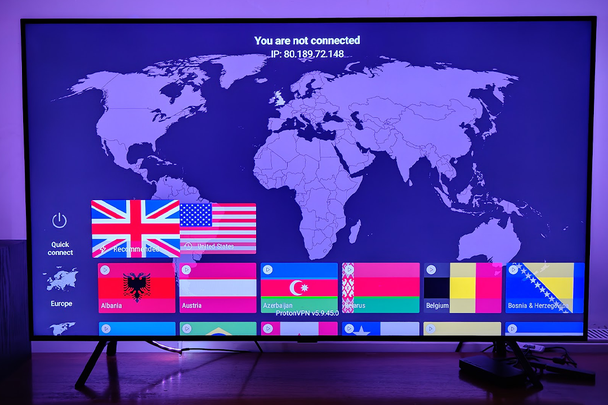
ProtonVPN's Fire TV app strikes a good balance between simplicity and functionality, though it lacks many of the advanced features found in the company’s other apps. However, the server selection screens are organised and simple, so it’s easy to find what you need without endless clicking around.
3NordVPN

- Best Streaming-focused Fire TV Stick VPN
- Number of servers 7,200+
- Number of server countries 118
- Number of simultaneous devices supported 10
- Devices supported Windows, macOS, Linux, iOS, Android, Fire TV
- Why we love it
- Threat Protection for blocking ads and malware
- Meshnet for secure connections between devices
- Multiple protocol options, including NordLynx
- Take note
- No kill switch on Fire TV dtick app
- Interface may feel a little overwhelming
- You have to pay extra for some features
Features
NordVPN’s Threat Protection feature shields you from malicious websites, blocks intrusive ads and prevents anyone from tracking your streaming. In short, this app enhances your privacy while potentially improving streaming performance by eliminating bandwidth-consuming ads.
The Fire TV app also provides split tunnelling, which enables you to route specific apps through the VPN while keeping others on your regular connection. This is useful for services that might block VPN access. You can also access Meshnet, which enables encrypted connections between your devices for secure file sharing.
A notable limitation of NordVPN's Fire TV app, however, is the absence of a kill switch, which is available in competitor apps from the likes of Surfshark. This means if your VPN connection drops unexpectedly, your real IP address could be exposed until you manually reconnect. For casual streamers, this may not be a major concern, but those particularly focused on privacy should take note.
Performance
NordVPN's app offers several connection protocols, including its proprietary NordLynx technology (based on WireGuard), which is designed for optimal speed and security balance. During testing, we used the recommended 'automatic' protocol setting to reflect the typical user experience.
NordVPN demonstrated better wifi performance than its competitors. With a baseline download speed of 130Mbps, connections to UK servers resulted in speeds of 34Mbps (a 74 per cent decrease), while US server connections achieved 35Mbps (a 73 per cent decrease). These percentage decreases are actually better than most competitors, including Surfshark. Upload speeds fared particularly well, with UK server connections delivering 56Mbps from a 102Mbps baseline (45 per cent decrease) and US server connections reaching 49Mbps (52 per cent decrease).
Ping times remained excellent at 13ms for UK servers (unchanged from baseline), but increased significantly to 164ms for US servers. The speeds remained more than adequate for HD and even 4K streaming, though, which typically requires 15-25Mbps.
UI and ease of use
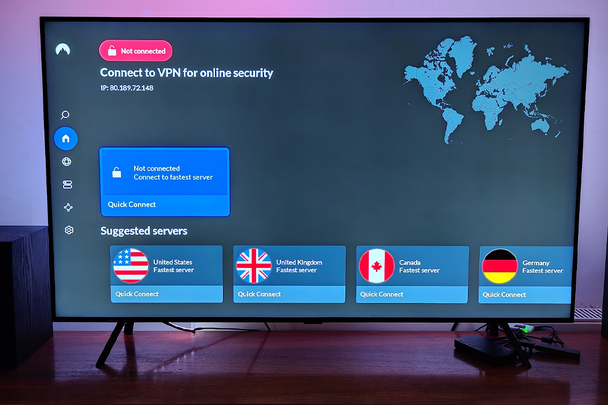
The NordVPN app feels decidedly feature-packed when you first open it on your Fire TV stick. While this isn't necessarily a bad thing, newcomers might find themselves momentarily overwhelmed by the options. The clear, immediately available list of suggested servers is, however, very useful, letting you jump in instantly, without much scrolling required.
4ExpressVPN

- Best for user experience
- Number of servers 3,000+
- Number of server countries 105
- Number of simultaneous devices supported 8
- Devices supported Windows, macOS, Linux, iOS, Android, Fire TV
- Why we love it
- Clean, intuitive Fire TV interface
- Lightway protocol for speed
- Split tunnelling capability
- Take note
- No protection summary feature on Fire TV app
- Limited to eight simultaneous connections
Features
This app uses ExpressVPN’s proprietary Lightway protocol, designed to maintain fast speeds while minimising resource usage on streaming devices. This protocol typically offers better performance than traditional options, making it well-suited for streaming activities.
Just like ProtonVPN and NordVPN, ExpressVPN’s app has split tunnelling, so you can choose which apps route through the VPN and which ones can still use your regular connection. The app also includes an auto-connect capability for quick connections when you launch the app.
It's worth noting some features found in ExpressVPN's mobile and desktop apps, such as the ‘protection summary’ feature and built-in speed test, are not available in the Fire TV stick version.
Performance
ExpressVPN delivers a streamlined Fire TV stick experience that balances security features with ease of use. The app connects swiftly and maintains stable connections, essential qualities for uninterrupted streaming sessions.
My wifi speed tests found that ExpressVPN is quicker than most of the competition. With a baseline download speed of 134Mbps, UK server connections delivered 43Mbps (a 68 per cent decrease), while US server connections achieved 37Mbps (a 72 per cent decrease). Upload speeds were particularly impressive, with UK server connections reaching 73Mbps from a 103Mbps baseline (29 per cent decrease) and US server connections delivering 64Mbps (38 per cent decrease).
Ping response times remained low at 15ms for UK servers (unchanged from baseline), while US servers showed a predictable increase, to 161ms. These speeds still comfortably exceed the requirements for 4K streaming on services such as Netflix.
UI and ease of use
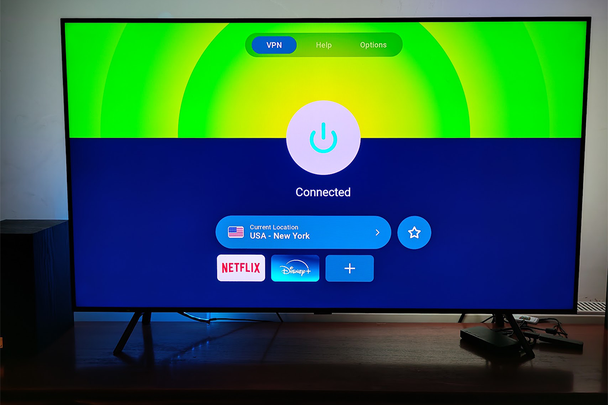
ExpressVPN has clearly put significant thought into making its Fire TV app as painless as possible to use. The interface is refreshingly clean and uncluttered, with a prominent connection button and intuitive navigation. The simplified design is less intimidating than those of its rivals, such as NordVPN, making it ideal for VPN novices. The app strikes a good balance between functionality and ease of use, though it doesn't offer as many advanced features as some competitors.
5CyberGhost VPN

- Best Beginner-friendly Fire TV Stick VPN
- Number of servers 11,000
- Number of server countries 100
- Number of simultaneous devices supported 7
- Devices supported Windows, macOS, Linux, iOS, Android, Fire TV
- Why we love it
- Extremely user-friendly interface
- Protocol selection options
- Ad/tracker blocking and split tunnelling
- Take note
- No dedicated streaming servers in Fire TV app
- Significant speed reduction on distant servers
Features
The CyberGhost VPN offers a straightforward VPN user experience, with a clean interface featuring a prominent connection button and simple server selection. The app includes several useful features, including ad/tracker blocking to improve streaming performance, and split tunnelling capabilities that let you route specific apps through the VPN, while keeping others on your regular connection.
Connection customisations include the choice between WireGuard and OpenVPN protocols, enabling you to prioritise either speed or security, depending on your needs. However, the Fire TV app lacks the dedicated streaming servers available in CyberGhost's desktop apps.
Performance
My tests of the CyberGhost VPN app found mixed results. In my wifi speed tests, from a baseline of 161 Mbps, UK server connections delivered 39 Mbps (a 76 per cent decrease), while US server connections achieved 24 Mbps (an 85 per cent decrease). Upload speeds remained relatively stable, with UK server connections reaching 39Mbps from a 104Mbps baseline (63 per cent decrease) and US server connections at 42Mbps (60 per cent decrease).
Ping measurements were competitive at 23ms for UK servers (compared with 13ms baseline), and quite good for US servers at 150ms – notably better than some competitors. While these speeds show significant percentage decreases, the absolute values remain sufficient for streaming needs, with even the US server speeds comfortably exceeding Netflix's HD streaming requirements.
UI and ease of use
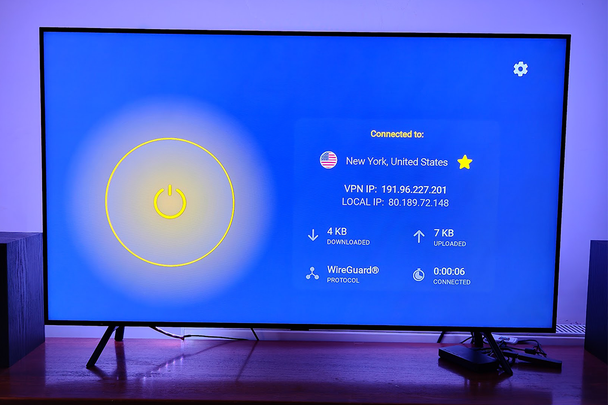
If you're new to VPNs, CyberGhost's Fire TV app might be just what you're looking for. The interface takes a pared-back less is more approach, with a connection button dominating the screen – you can’t miss it. The design philosophy focuses on simplicity, making it extremely accessible for beginners. What CyberGhost lacks in advanced features, it makes up for in straightforward usability, making it an excellent choice for those new to VPNs or who simply want basic protection without complexity.
Your questions on the best VPNs for Fire TV Stick answered
What are the best VPNs for Amazon Fire TV Stick?
After thorough testing, Surfshark is my top recommendation for Amazon Fire TV sticks. Its combination of essential security features (including a kill switch), strong performance, and unlimited device support puts it a touch beyond its competitors. –
NordVPN offers excellent features, such as threat protection, and demonstrated superior streaming performance with better speed retention than several competitors. Some might consider that the absence of a kill switch on its Fire TV app is a privacy issue. However, this is a fairly technical issue. For casual streamers focused primarily on performance, NordVPN remains an excellent choice.
ExpressVPN delivers a polished user experience with its Lightway protocol and split-tunnelling capabilities, but it lacks some of the features found in its mobile and desktop apps. CyberGhost VPN provides a beginner-friendly experience with useful features such as ad blocking, split tunnelling, and protocol selection, making it ideal for VPN newcomers, despite showing significant speed reductions on distant servers.
For most Fire TV stick users, Surfshark represents the best overall choice, combining essential security features, unlimited device connections, and reliable streaming performance. Those prioritising streaming performance may prefer NordVPN, while those seeking the most user-friendly experience should consider ExpressVPN or CyberGhost.
How I tested the best VPNs for Amazon Fire TV Stick in full
For a fair speed comparison, I established baseline speeds for both wifi and Ethernet connections, using Speedtest.net, without turning on any of the VPN services. These baseline tests were then followed by testing with each VPN connected, so speed differences for each VPN could then be worked out as a percentage of their respective baseline results. I considered the following criteria:
- Download speeds: The rate at which data can be pulled from the internet to your device – crucial for streaming, downloading files, and general browsing.
- Upload speeds: How quickly you can send data from your device to the internet – important for video calls, cloud backups, and sharing large files.
- Ping (latency): The time it takes for your device to communicate with a server, measured in milliseconds (ms) – crucial for gaming and real-time applications.
- Security and privacy: I look at Fire TV Stick-specific privacy and security features, like a kill switch and split-tunnelling.
- User experience: I looked at how easy each app was to use and if it was noticeably different to Windows or iOS apps.
- Streaming support: I look at whether each VPN lets me access all the main streaming services, from Netflix to BBC iPlayer to Now TV and more.
Why you can trust IndyBest reviews
Esat Dedazade is a technology journalist and content creator with more than 14 years of experience covering tech news and reviews. For The Independent, Esat has conducted considerable research into VPN services, including the best VPNS for Android users as well as for Amazon Fire TV sticks. He's used VPNs to keep his online activity private from intrusive trackers, and also uses the services for work, so he can access country-specific webpages for product information and pricing. The recommendations below are based on his real-world testing, as well as the comparison of each service's features.
Want more recommendations? Check out our TV buying guides
Bookmark popover
Removed from bookmarks