The Independent's journalism is supported by our readers. When you purchase through links on our site, we may earn commission. Why trust us?
Private Internet Access VPN review: A privacy app that goes deeper than others
Want a VPN with plenty of customisation options? This could be the one for you
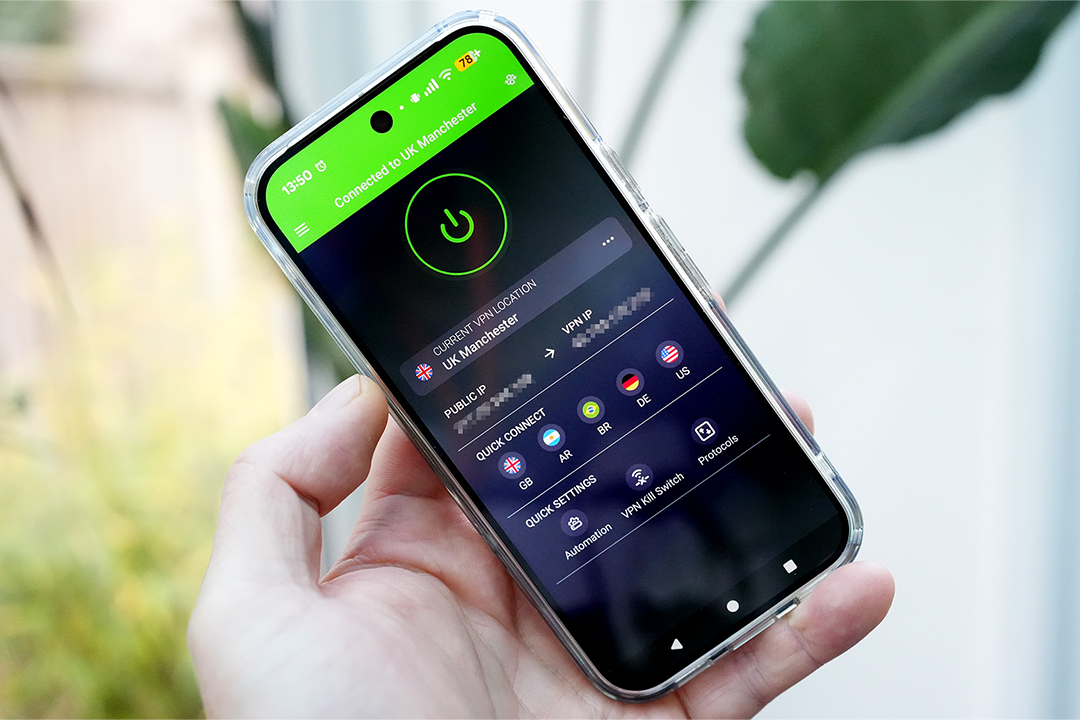
Private Internet Access is a VPN (virtual private network) provider owned by Kape Technologies – the software company that also owns ExpressVPN and CyberGhost – but how does it compare with other otherings? I put it to the test, across a range of devices, to find out.
A VPN can be essential for enhancing your online security, as it encrypts your data and hides your IP address. Enabling a VPN such as Private Internet Access becomes particularly important when using public wifi, as hackers can more easily intercept sensitive information such as passwords and credit card numbers. By creating a secure tunnel for your internet traffic, the best VPNs shield your device from certain network attacks, prevents malicious code from reaching you, and protects both personal and business data when working remotely or travelling.
A VPN also safeguards your privacy by making it harder for websites, advertisers and others to track your location or online activities, while also preventing your ISP (internet service provider) from snooping on your browsing history and potentially selling your data.
Whatever your reason for considering investing in a VPN, there are plenty of providers to choose from, whether you’re looking for VPNs for speed or cheap VPNs that still perform well. After testing Private Internet Access, I found it to be a powerful option with features that will make it attractive to those with multiple devices to protect. Keep scrolling for my full review.
Read more: These are the best VPNs for every device
How I tested
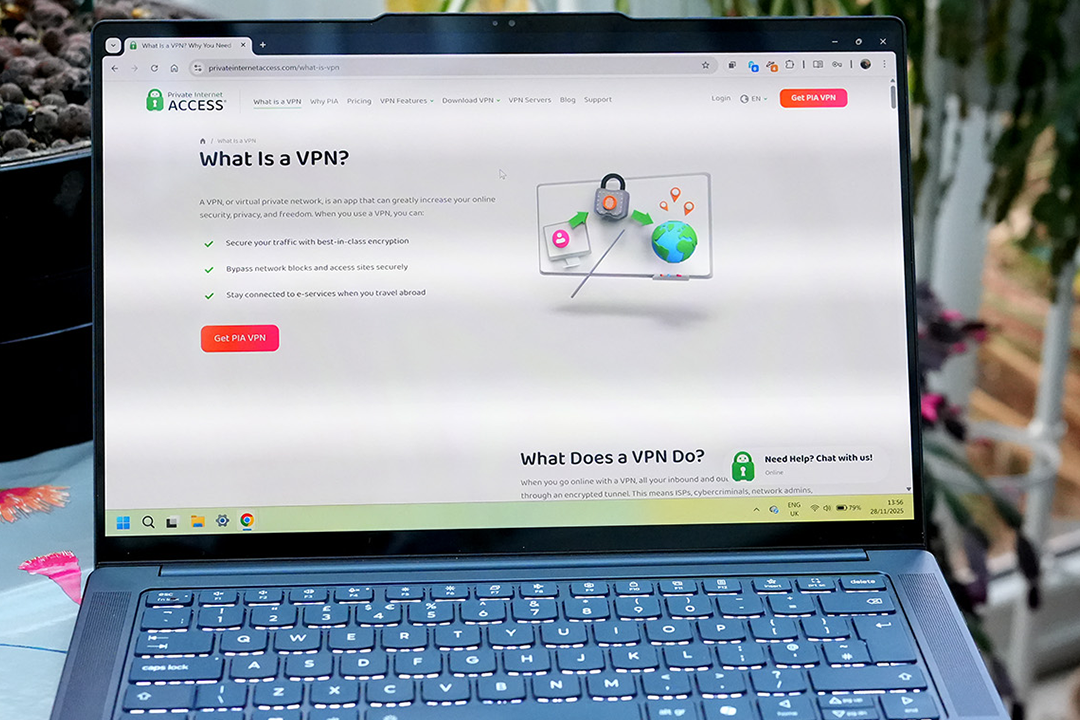
I installed the Private Internet Access app on a Windows 11 PC, a Mac running MacOS Tahoe, and an Android phone, then used it with a fast fibre-optic internet connection to measure how it affected the download speed. I also used it with streaming services and online games. Find out more about my testing criteria at the end of this article.
Read more: We’ve tested the best VPNs for Fire TV Stick
Private Internet Access VPN

- Servers 12,000+
- Countries 91
- Encryption AES-256, ChaCha20 (WireGuard)
- Protocols WireGuard, OpenVPN
- Platforms Windows, macOS, Linux, Android, iOS
- Why we love it
- Lots of server coverage
- Apps are easy to use
- Good option for streaming
- Take note
- Expensive without a long subscription
- Can get complex
Private Internet Access VPN: Privacy
Like Switzerland-based Proton VPN, Private Internet Access (PIA) claims to be working in the interests of its users’ privacy, but it is US-based, which may not be the ideal jurisdiction for privacy. The firm likes to point to two court cases in which user data was subpoenaed from the company by US law enforcement – orders it was unable to comply with, because it does not keep that sort of data. These cases were in 2016 and 2017, but PIA is also proud of the privacy audit carried out by Deloitte in 2022, which reviewed the company’s server environment and concluded it stored no logs of user activity.
Private Internet Access VPN: Features
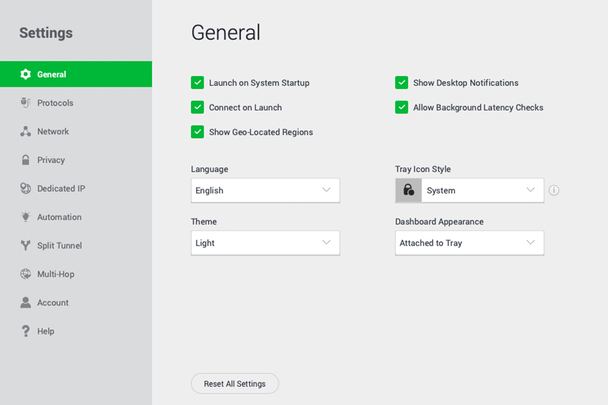
The above all looks very promising if it’s important to keep your internet access private, but what about the majority of users who just want to occasionally mask their location? Well, PIA is certainly an effective VPN with easy to use apps, but it can be complex and some of its options mean you lose quite a lot of your internet speed. However, the app has a big ‘quick connect’ button, with all the complexity hidden away behind its tabbed interface, and it’s perfectly possible to never dig down any further than turning on the VPN and connecting it to the server in your desired location.
Sign up, and you’ll be offered a couple of extra options. The first is for an antivirus add-on, which claims to protect your PC against malware while remaining privacy-focused, not logging your activity or tracking you. This can be worth looking into if you’re not currently using any antivirus software beyond Windows’s built-in tools. The second is for a dedicated static IP address in the country of your choice (from a list of 26). A token-based anonymity model means Private Internet Access itself won’t know which IP address is linked to your account (you paste a code into the PIA app), and you can use the address however you want. This could be handy if you’re running your own online file server or web hosting, but it’s not something most users will ever require for browsing, gaming or streaming.
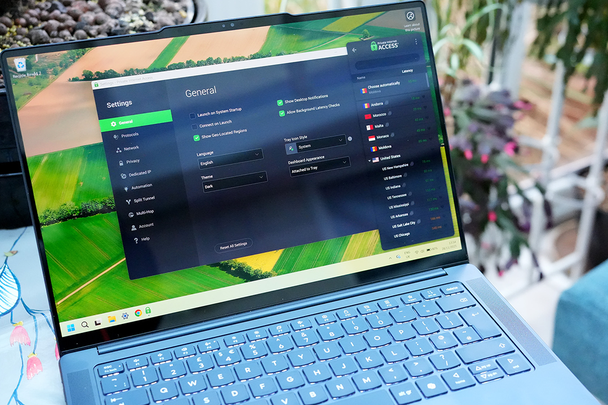
Private Internet Access has a wide network of servers (though many of them are virtual) and you can filter these in its server browser. They’re present in almost every US state where other providers may only provide a small selection, and 90 more countries beyond that. However, coverage of Asia and Africa is weaker than that in Europe and the Americas.
The VPN also has a wide reach in terms of the devices on which it can run. There are the usual apps for iOS and Android (called PIA VPN), Mac (universal) and Windows (for both x86 and ARM processors), as well as one for Linux, and you can install it on your router if you have one that’s compatible and you’re happy manually configuring it.
Private Internet Access VPN: Performance
Having a fast internet connection is important if you’re downloading a lot of data or streaming a lot of movies, and you’ll want to make the most of it. So while all VPNs slice a small amount off your top speed (by routing your traffic through their own servers), it should really only be a small percentage of the maximum. This can be hard to gauge, as the internet speed we get on our devices isn’t always what we pay for, and can be slowed down by things such as other users, poor wifi connections, or even the weather.
During testing with a nominally 600Mbps fibre-optic connection at a time when I hoped no one else was using it, and using a server within the UK, Private Internet Access reduced the top speed by about 10 per cent, which isn’t bad, but I’ve seen lower drops from VPNs such as Nord. A server in the USA marked as optimised for streaming took the connection speed down to about 15 per cent of the original, which is still fast enough for 4K streaming, while switching to the standard New York server changed this to a much faster 55 per cent of the original.
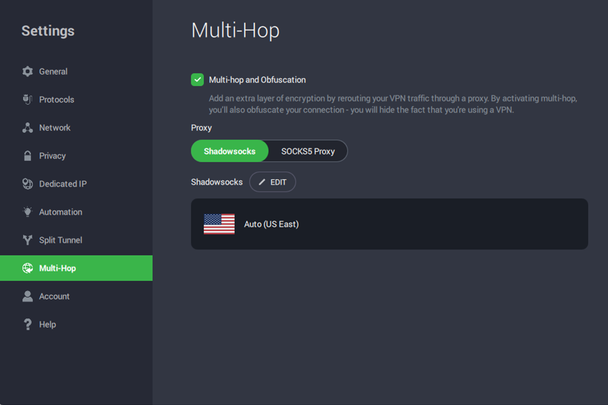
A server in Sydney, Australia, provided 18 per cent of the original speed, while using a server in France with an extra hop through Canada, and with Obfuscation mode turned on (to disguise that the VPN was in use), made the service extremely slow, dropping the speed to about 10 per cent of what it had been. It also didn’t hide the VPN, as a site used to check the IP address of the test computer still reported a VPN in use.
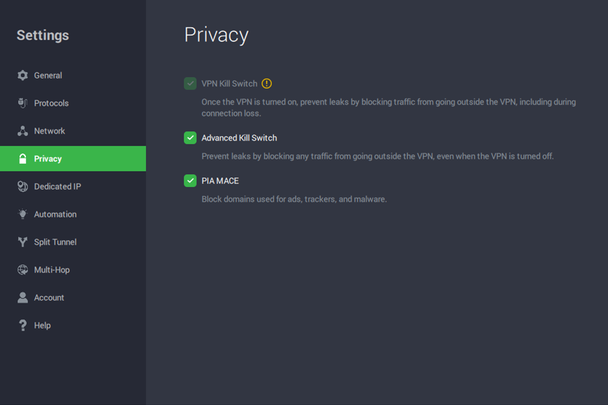
Private Internet Access offers the OpenVPN and WireGuard protocols, and enables you to choose which one you want to use. WireGuard can be a little faster, but there's not much in it. One important feature of any VPN app is its internet kill switch, which blocks internet traffic if the VPN isn’t connected, so if the VPN drops for any reason, your activity and real IP address won’t be exposed. Private Internet Access’s is more interesting because it has an additional setting called ‘advanced kill switch’, which will stop your PC from accessing the internet at all until it’s reconnected to the VPN. There's also a box that, if ticked, blocks domains known for hosting ads and malware, which is a great feature to see, but which doesn’t do any more than ad-blocking browser extensions.
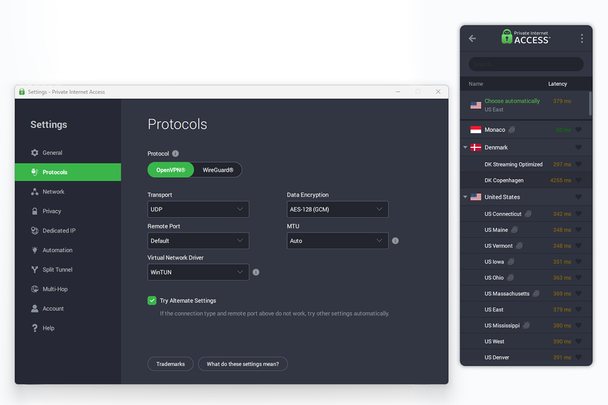
Beyond this, there are a lot of options on offer with Private Internet Access. Do you want 128bit or 256bit encryption? Split tunnelling? Do you want to create automation rules that switch the VPN on when you connect to one particular wifi network, but not when you connect to a different one? You can do all this, but you can also leave it alone and just switch it on and off as you require.
Private Internet Access VPN: Price
Payment for Private Internet Access can be made using credit cards or PayPal, as well as cryptocurrency via BitPay. While a single month of the service costs £9.99 (at the time of writing), purchasing a longer subscription sees the cost drop significantly. There's a 30-day money-back guarantee if it doesn’t work out for you, and you can turn off automatic renewal from the online control panel. Although, you’ll need to contact customer support to cancel your service.
Is Private Internet Access VPN worth it?
Pay for one of Private Internet Access’s longer-term plans and it can be a good value way to enhance your online privacy, though it’s always worth shopping around to see what discounts the other big players are offering this week (check out IndyBest’s guide to the best VPN deals). Like other VPNs, it’s not essential to have for most people, and has some very specific uses you’ll already know if you need, but if you like your internet access private and are looking for something with depth and lots of customisation options, as well as a VPN that can be installed on your router to protect your whole network, then it’s well worth investigating.
How I tested the Private Internet Access VPN in full
During testing, I considered the following criteria:
- Speed: How much does using this VPN affect internet download speed? I tested it using not only the nearest and fastest server, using any recommendations the app makes, but also those in highly populated areas in the US and Europe, as well as servers further away. I also used multi-hop and obfuscation settings, to see if they make a difference.
- Encryption: While most people are happy to let the VPN app choose for them, I checked out the different options on offer.
- Apps: I installed the VPN's apps on as many devices as possible, to see if they have differences in functionality.
- Ease of use: I assessed how easy it was to set up the VPN and how straightforward it was to navigate its app.
- Cost: Value for money was also taken into consideration, including how the company compares with competitors.
Why you can trust IndyBest reviews
Ian Evenden is a writer and editor specialising in gaming, computing, science and technology publications. Ian has been contributing to IndyBest since 2021, applying his keen eye for detail and high standards to tech reviews such as the best Chromebooks, keyboards and anti-virus security equipment.
Want more options? Check out IndyBest’s guide to the best VPNs
Bookmark popover
Removed from bookmarks