The Independent's journalism is supported by our readers. When you purchase through links on our site, we may earn commission. Why trust us?
Best personalised photo books for preserving your precious memories
Create chic, personalised photo books from Papier, Vistaprint and more

- 1
 2
2
- 3
 4
4
- 5
 6
6
- 7

If the number of photos on your phone is getting out of hand, it might be time to remember some of those treasured memories in a more tangible way. And if not for yourself, a personalised design can make a lovely gift (that’s one more present ticked off the Christmas shopping list).
I’ve been busy creating photo albums to find the best ones. I assessed them on the quality of the images, and how easy the albums were to put together using, using their accompanying app or website. Some of these processes were smoother sailing than others, but to save time when it comes to your own albums, fortunately, most companies have auto-fill options that put your photos into a layout for you.
Whether you're looking to capture holiday snaps or find a high-end design you wouldn’t hesitate to cherish as a wedding album, there’s ample choice, and lots of opportunity to personalise covers and layouts. Papier’s (from £24, Papier.com) is my personal favourite, but keep reading to find more of my tried-and-tested picks.
The best photo book companies for 2026 are:
- Best overall – Papier: From £24, Papier.com
- Best budget buy – Cewe: From £8.99, Cewe.co.uk
- Best for wedding albums – Rosemood: From £19.90, Rosemood.co.uk
- Best for speed – Vistaprint: From £10.19, Vistaprint.co.uk
- Best for travel albums –Popsa: From £18, Popsa.com
How I tested
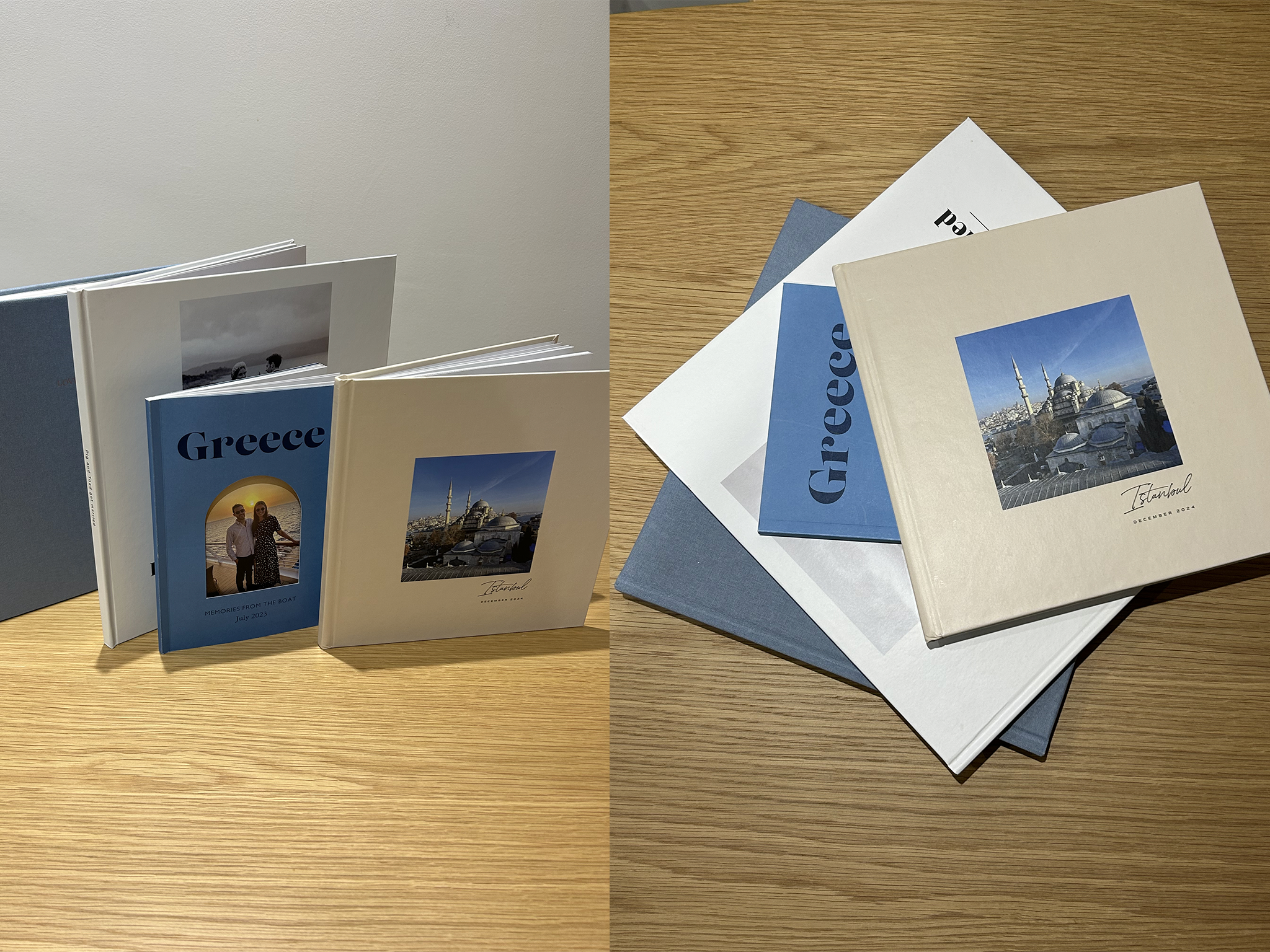
To test each photo book company, naturally, I made our own albums, whether on a desktop or via an app. I assessed them on everything from the range of design options to the quality of the paper. I go into more detail on my testing criteria at the end of my review.

35 best gifts for women to show her how much you care in 2026

27 best housewarming gifts for 2026 that you’ll want to keep for yourself
The best online flower delivery brands for every occasion and budget, reviewed
Best diaries and planners to level up your organisation in 2026
.png)
I’ve already read 44 books this year, but this is my standout favourite
1Papier photo book

- Best Overall
- App No
- Starting price range £24 to £70
- Pages 24-100
- Page printing choices N/A
- Layflat option No
- Cover types Hardback, softback
- Gift boxes From £5
- Why we love it
- Great range of book designs
- Easy auto-fill options
- Plastic-free packaging
- Take note
- Have to upload images on desktop only
- No choice of printing paper
There's rarely an event or stationery need that Papier doesn't fill. From wedding save the dates and thank you cards to diaries and personalised desk notelets, it's a go-to for quality creations and printing.
When it comes to photo books, Papier’s options range from foiled covers to fabric, softback to hardback, and from mini to medium and large designs. Within each style, there's a handful of set designs and colourways to choose from, whether you’re looking for themes for birthdays, weddings, new babies, holidays or events such as Mother's Day.
I’m a big fan of the wanderlust design, which has been created with holiday snaps in mind, with the choice of an arched or rectangular cover that frames a photo on the next page. It's A5 in size, softback, and comes in three shades (blue, pink and white), with a choice of two fonts, and with prices starting from £24 for 24 pages.
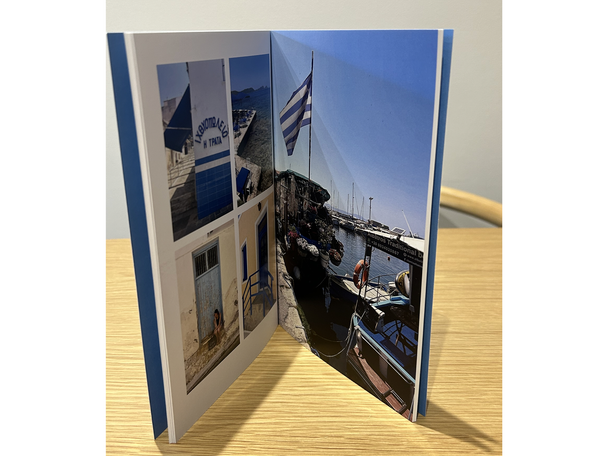
I found the software extremely easy and intuitive to use when it came to uploading my images. It is only available on desktop, as there's no Papier app, but it's easy to upload photos from your device. From here, they're all placed in a sidebar, from which you can drag and drop the images into the book layout. I like that you can easily see which images have already been used to avoid doubling up. Plus, it's easy to change the design of the page. Each image can be cropped, filtered, or removed with ease, too.
The autofill option was also very easy and time-saving, and it autosaves as you go. The whole process is speedy, simple and sleek.
2Cewe photo book

- Best Budget buy
- App Yes
- Starting price range £8.99 to £59.99
- Pages 26-202
- Page printing choices Six
- Layflat option Yes
- Cover types Hardback, softback and linen
- Gift boxes Available for large, XL and XXL books
- Why we love it
- FCS-certified paper
- Take note
- Can't add photos as you go
- Some of the designs are a bit cheesy
Cewe has a huge range of choice when it comes to sizes and designs, but there are also plenty of paper types, including classic, recycled, high gloss, true matte, classic photograph, gloss photographic paper and matte photographic paper.
If this sounds as though you’re going to have to make too many decisions, the website has plenty of information and tips to help you choose which option will work best for you. Depending on what you're creating, there's plenty of inspiration, too. You can even create photo books that look more like high-end scrapbooks, with long captions and artsy layouts.
Do pay attention to the measurements, though, as the smallest book, which comes in at less than £10, is really quite weenie, at just 15cm square.
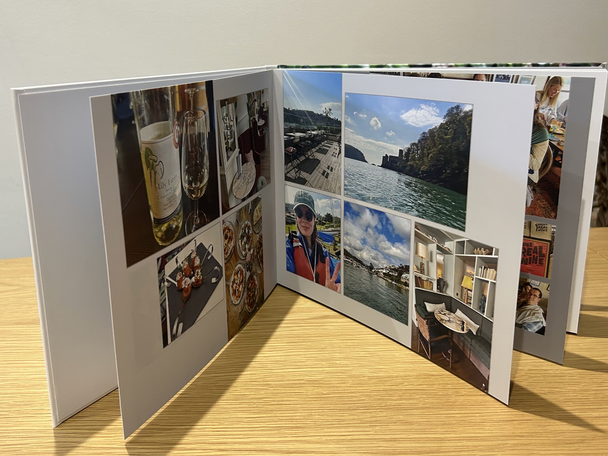
I used both the app and the desktop version to create my photobook, but preferred the desktop version. One thing I found difficult on both versions, however, is the fact that you can't add photos to the book once you've done the initial selection. So, if you miss any snaps you're desperate to include, you'll have to restart the process, which is a pain. Some of the designs are also a little cheesy, but there are some simple options available.
Something I’ve not seen elsewhere is the specially designed books for little children, with a chunky ringbinder on the side, so they can flip through the pages easily. There really is something for the whole family.
3Once Upon photo books

- Best For simplicity
- App Yes
- Starting price range £16 to £26
- Pages 20-200
- Page printing choices Silk matte or semi-gloss
- Layflat option No
- Cover types Hardback, softback
- Gift boxes N/A
- Why we love it
- Easy to change photos around
- Each image can have a caption added
- QR code enables you to collaborate with friends or family
I came across Once Upon on Instagram and was drawn instantly to its simple, timeless, monochrome covers.
With a very intuitive uploading system that breaks down your phone's photos into months, it's really easy to upload all the images you want without having to scroll through months and months of photos every time you want to add a photo.
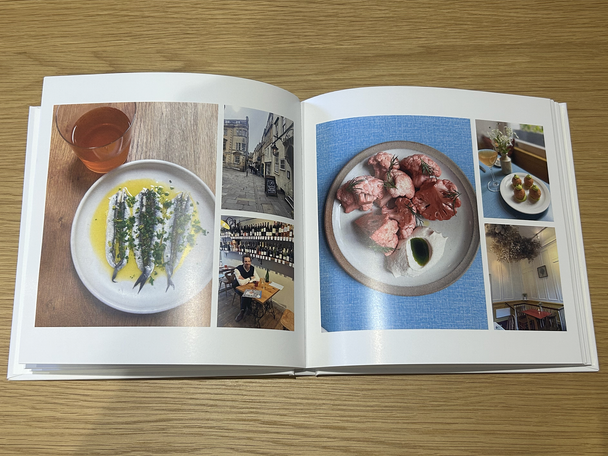
I loved how the system pre-organises your photos for you on the layouts, too, saving time spent dragging and dropping each picture and deciding a design. The best thing about creating a book on Once Upon is the little layout button that cleverly toggles your images between different photo layouts on the page until you find one you like – again, a huge time saver and a breeze to use. Another welcome touch is that each spine can have a title, so it's easy to spot which book is which when lined up together on your bookcase.
4Rosemood photo books

- Best For wedding albums
- App Yes
- Starting price range £19.90 to £89
- Pages 28-200
- Page printing choices Matte or glossy, smooth matte paper or textured ivory paper
- Layflat option Yes
- Cover types Hardback, softback, linen covers
- Gift boxes From £20
- Why we love it
- Quality linen covers and pages
- Printed on recycled FSC-certified paper
- Take note
- Doesn't save automatically
Specialising in fabric-covered photo books, Rosemood is a top choice to entrust to create a keepsake of your wedding day.
If you choose fabric-covered albums, there's a handful of colours from yellow to navy and from sage to grey, and each can have a copper-embossed title on it, including names, a little heart and dates, which can also be printed on the spine.
The paper is high quality, and I especially like the ivory-textured paper, which, along with the traditional sewn bindings, gives a great finish. Even adding the maximum pages of 200, a Rosemood photo book works out an awful lot cheaper than many wedding albums from wedding photographers.
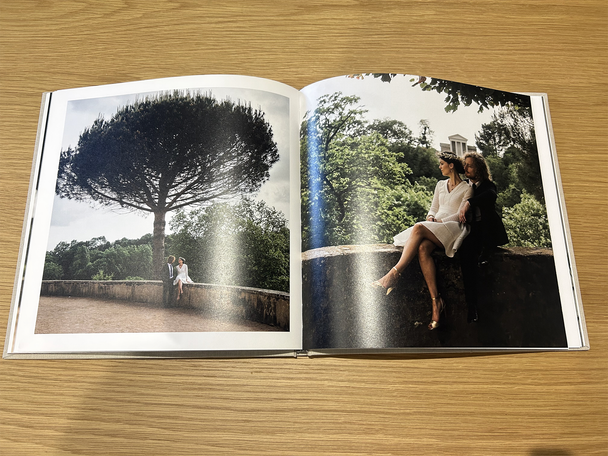
However, I could only find these albums on the desktop version and not on the app, where the other choices of albums have plenty of designs in both softback and hardback. My only gripe is that I’d have appreciated an auto-save function – the risk of losing my hard work proved to be anxiety-inducing.
5Vistaprint photo books

- Best For speed
- App No
- Starting price range £10.19 to £49.99
- Pages 24-120
- Page printing choices Premium glossy, standard
- Layflat option Yes
- Cover types Hardback, softback, linen covers
- Gift boxes N/A
- Why we love it
- Very speedy
- Excellent auto-fill function
- Take note
- No app
- Doesn't save automatically
When it comes to making an album quickly (perhaps for a last-minute gift), Vistaprint has got you covered. It's a go-to company for online photo printing and photo books. Like most of the services I reviewed, there’s no app, but I was able to select photos easily from my iCloud on desktop. Waiting for the photos to upload was the longest part of the process, but even that only took a few minutes, and I used the smart assistant to autofill pages onto the pre-made templates.
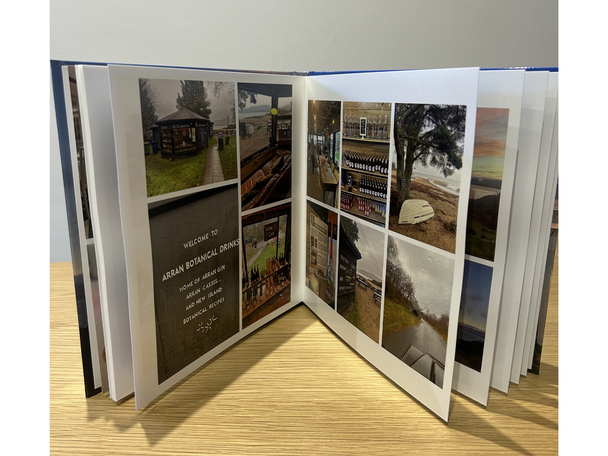
For the best printing quality, you can opt for only the highest-quality images to be used. All your selected images appear on a sidebar, and you can simply drag and drop them onto the pages to pick the ones you want to feature, then add the book's name to the spine.
As well as changing layouts, you can add stickers and frames, which is a fun touch for teenagers. All images can have filters on them or be cropped, and the interface is very intuitive and responsive. After a quick flick through to check them all and changing a few little elements, my album was ready to go in a matter of minutes.
Like some of the other companies included here, Vistaprint’s service doesn't save automatically, but a pop-up does remind you to do so periodically, which I appreciated.
6Popsa photo book

- Best Travel album
- App Yes
- Starting price range £18 to £32
- Pages 20-130
- Page printing choices Matte or gloss
- Layflat option Yes
- Cover types Softback, hardback
- Gift boxes Yes
- Why we love it
- Made using recycled paper
- Take note
- We found some images were repeated during the editing process
Travel photos are best immortalised with plenty of colour, and this is where Popsa excels. I really liked that the background of each page could reflect the colours in the photographs, which gives it a really elevated look and feel. However, when my photo book arrived, the tone of the cover was much pinker than the sandy-coloured shade I saw on screen, so be aware that the colour may differ depending on your display settings.
I used the desktop service, and it was really easy to upload photos quickly. However, the editing took a while, as photos don't auto-fit to their allocated space. Instead, I had to go through and make them fit, finding portrait images that needed to be reduced in size to fit on the pages of my landscape-oriented book. The end result's photo printing quality is excellent, though, and the pages are very thick – almost cardboard-like.
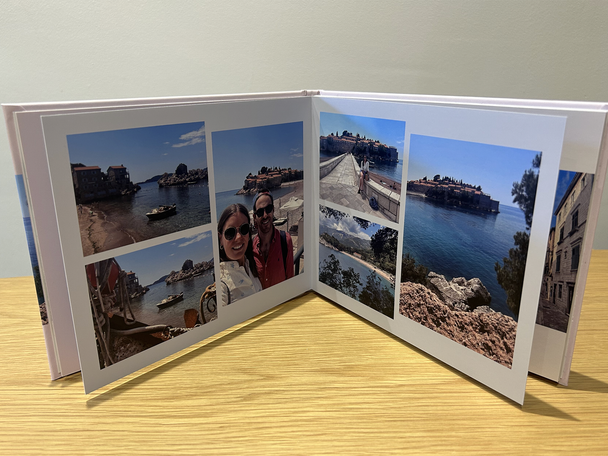
I particularly liked the fact that, if you choose a colour for the photo book, there's an option for each page's background to be inspired by the colours in that page's photos. This means each page really has its own personality and looks well-designed.
There are templates for lengthy captions, but this does significantly cut into the space available for photos. It’s also worth noting that, while trying to edit, I found images kept being repeated further on, which wasn't an issue until I started editing.
7PostSnap photo book

- Best For choice of colours
- App Yes
- Starting price range £28 to £43
- Pages 24
- Page printing choices Matte or gloss
- Layflat option Yes
- Cover types Hardback, softback, linen covers
- Gift boxes N/A
- Why we love it
- Lots of colour choices for every page
- Take note
- The design software isn't that easy to use
I liked that PostSnap can add a background colour to every page of your photo book to match the front cover, and there’s a huge choice of shades on offer. You’ll find a decent range of book designs, too, but I found editing pages on the desktop version to be a little sluggish at times.
It's hard to edit photos and layouts, especially when it comes to swapping them around to better fit the templates. You can't view your layout and the template design in tandem, so you have to remember there are two, three or four images and whether they're portrait or landscape and then choose a template, which is lengthy and fiddly. My biggest gripe, though, is the fact that you can't drag and drop images to move them between pages. Instead, you need to re-add the photos from your device or saved images, which is annoying.
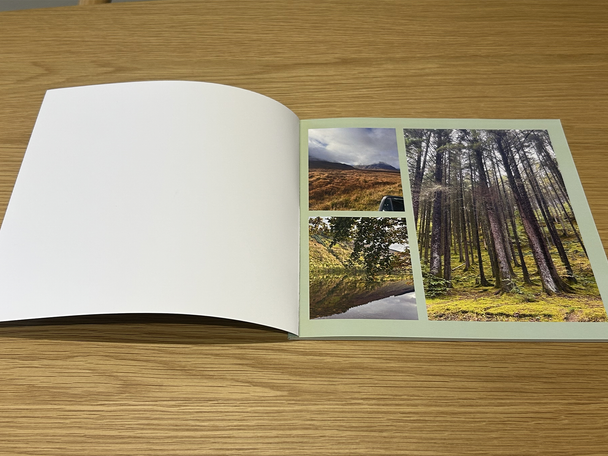
I went for a soft-cover book, and it arrived with a glossy finish, which I wasn’t expecting. Though overall, the photo book is great, for the money, it doesn't feel as premium as some of the others in this lineup. If you’re looking for an option with plenty of choice when it comes to customising the design, however, this company could still be worth a look.
What is the best photo book company?
Taking everything into consideration, Papier comes out on top for us. Its range of pre-made, versatile designs means there's a book for every occasion. The printing and paper quality are impressive, too, as is the speed of delivery.
I also really like the simplicity of both Once Upon's uploading system and its book designs. Vistaprint's user-friendly software proved to be the speediest on test.
How I tested the photo books
I’ve made more than 10 different photo books using my favourite photos. When testing, I considered the following:
- User-friendliness: While making the albums on the accompanying app or website, I paid attention to how easy this was to do, how intuitive the software was, and whether there were any pitfalls during the design process, from set-up to delivery. For instance, was it a quick and easy process uploading photos, and did the layout automatically save my design for me?
- Design: I looked at the range of options, designs and creativity levels available.
- Quality: When the album arrived, I checked the quality of the pages and printing, and, of course, I considered the overall value, too.
Why you can trust IndyBest reviews
Writer and editor Emma Henderson has previously been the editor of IndyBest. She has a wealth of knowledge about brands and knows exactly what to look for when it comes to assessing products and services. She’s reviewed everything from gifts for the family to flower delivery services, offering her honest opinions and only recommending offerings she considers to be of high quality and worthy of your hard-earned cash.
For a clever way to display all your memories in one place, check out our pick of the best digital photo frames
Bookmark popover
Removed from bookmarks